351
ADOBE FRAMEMAKER 7.0
Classroom in a Book
FrameMaker 7.0 jumps to the source of this cross-reference entry—in this case, to the
start of the section on Nicola Tesla on page 4.
Formatting a hypertext cross-reference
When you are creating a hypertext application for online use, it’s helpful to draw attention
to objects that are links. This is especially true with cross-references, which usually look
like regular paragraph text.
1
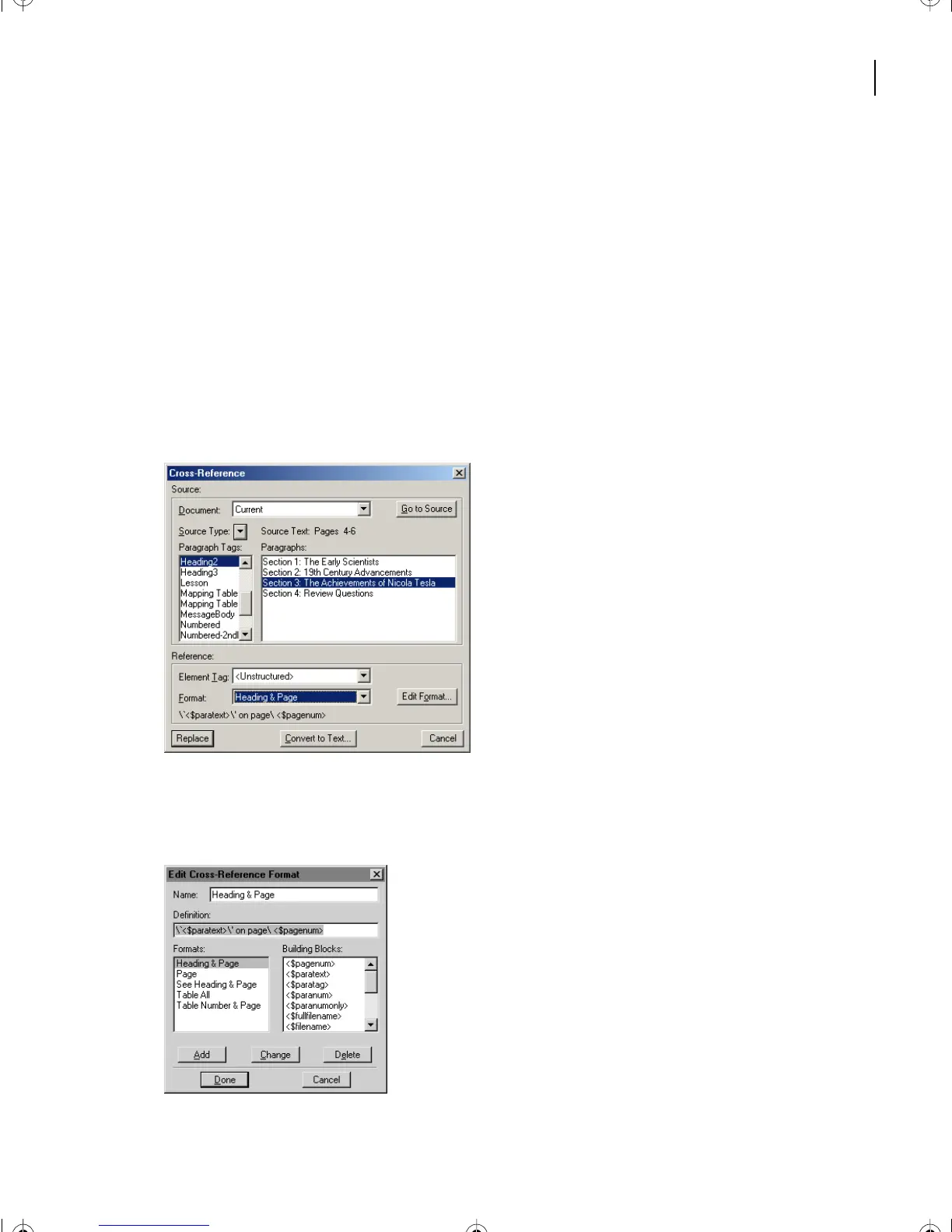
Go back to page 3 to the last paragraph in the subsection on Thomas Alva Edison and
double-click the cross-reference “The Achievements of Nicola Tesla.” This opens the
Cross-Reference dialog box.
Yo u’ll change the format for this cross-reference so that it will stand out as a hypertext link.
2
Click Edit Format.
L14.fm Page 351 Sunday, July 7, 2002 10:18 PM



 To Next Page