421
ADOBE FRAMEMAKER 7.0
Classroom in a Book
2
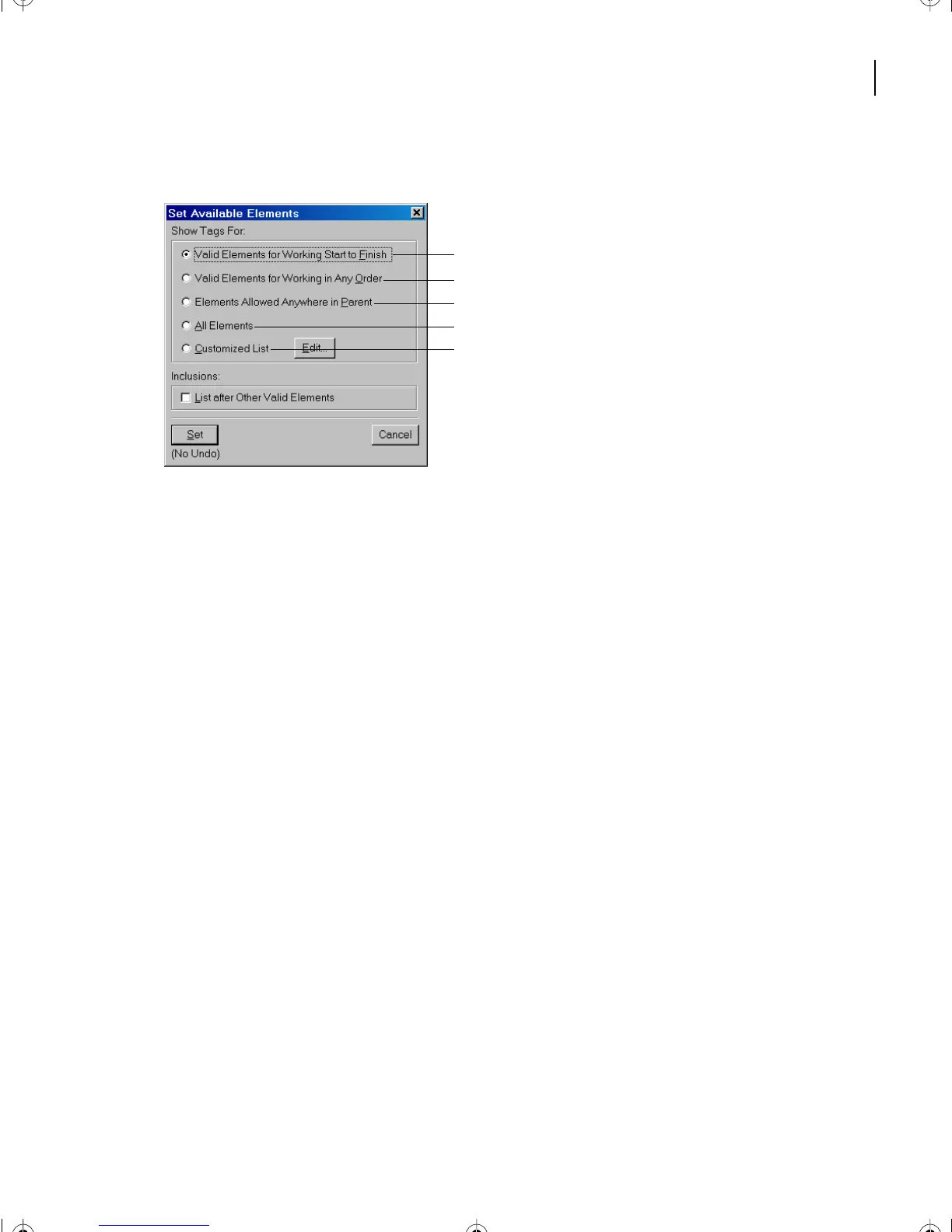
Choose Element > Set Available Elements (or click Options on the Element Catalog).
A.
Use this option to work through a document from
start to finish and to enter elements in their correct order.
B.
Use this option to build a valid document, not
necessarily from start to finish. This is helpful when
you do not have all the required information to
complete an element.
C.
This option gives greater
flexibility when inserting elements; it allows you to
insert invalid elements and correct them later.
D.
Use this option when you’re not building a valid
document, but are wrapping elements around text.
3
Select All Elements and click Set.
4
If necessary, click the Element Catalog button in the upper right corner of the window
to show the element list.
A
B
C
D
E
L16.fm Page 421 Saturday, July 6, 2002 4:02 PM



 To Next Page