LESSON 17
434
Authoring XML
Note:
Elements will be indicated in the text of the exercises in lessons 17 and 18 in square
brackets. For example, a Head element would be read as
[
Head
]
.
Begin by locating the Lesson17 folder on your hard drive. It is organized into 3 sub-
folders.
1
In the L17XML folder, open the structapps.fm file.
2
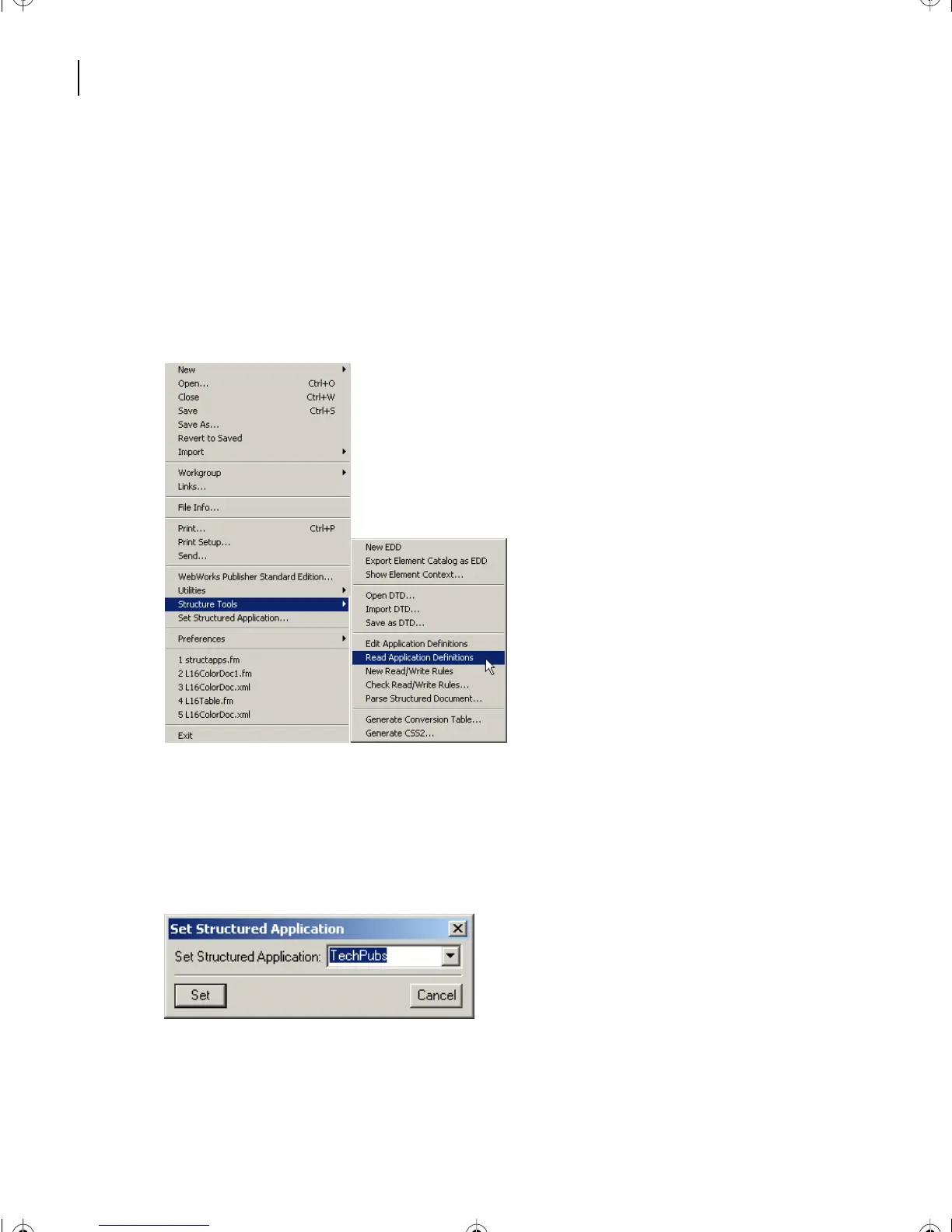
Choose File > Structure Tools > Read Application Definitions.
3
In the dialog box, click OK.
4
Choose File > Set Structured Application.
5
In the Set Structured Application box, select TechPubs from the pop-up menu, and
click Set.
6
Choose File > Open > CIBColorDoc1.fm.
L17.fm Page 434 Saturday, July 6, 2002 4:37 PM



 To Next Page