LESSON 18
458
Exporting and Importing Structured Files
7
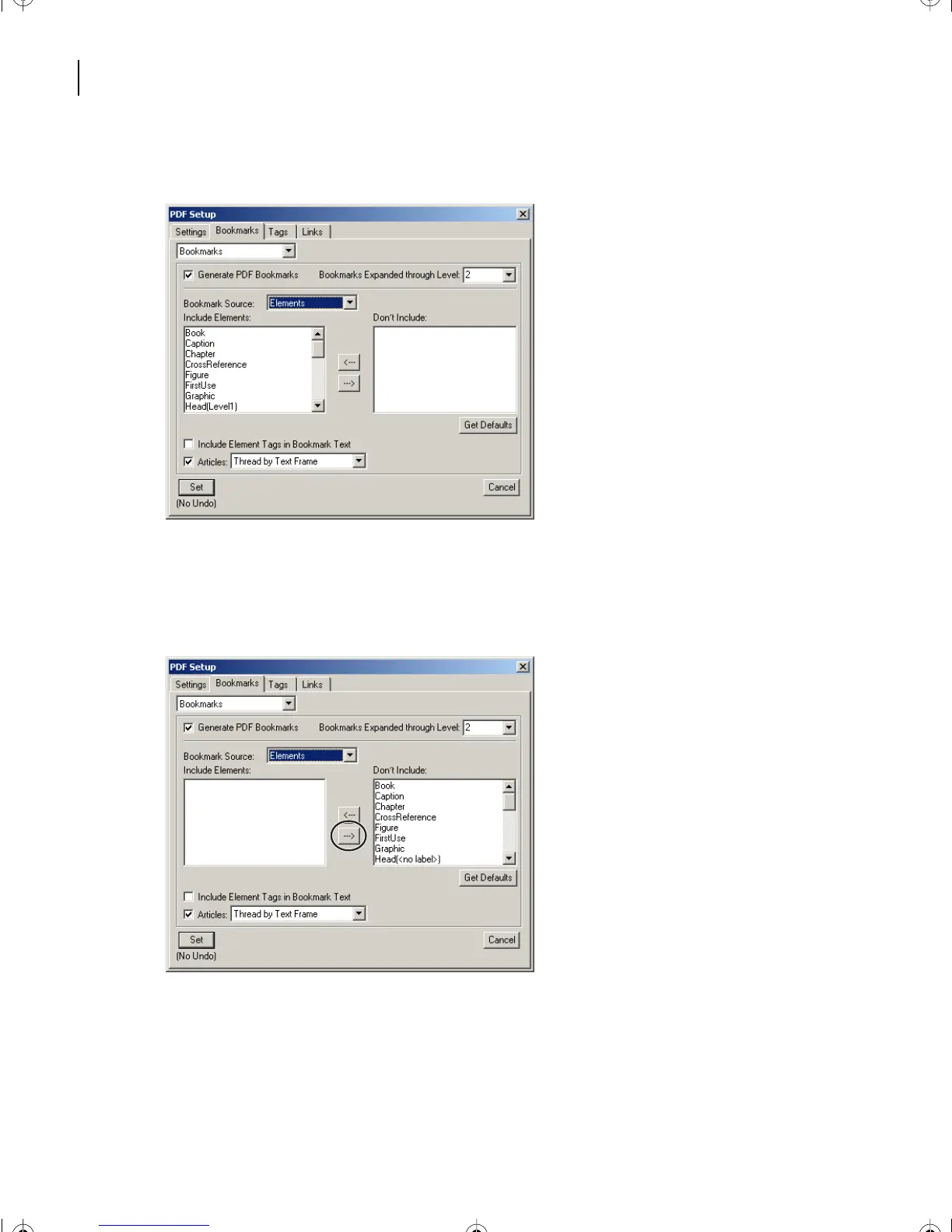
From the Bookmark Source pop-up menu, choose Elements.
8
Move all entries from the Include Elements area into the Don’t Include area. Hold the
shift-key and click on the right direction arrow between the columns of entries.
The Include Element area is now clear.
9
For this lesson, move the following elements into the Include Elements list by double-
clicking the element or selecting the element and then clicking on the left direction arrow:
•
Chapter.
L18.fm Page 458 Sunday, July 7, 2002 11:40 PM



 To Next Page