9
USING ADOBE MEDIA SERVER ON AMAZON WEB SERVICES
Getting started
Last updated 9/20/2013
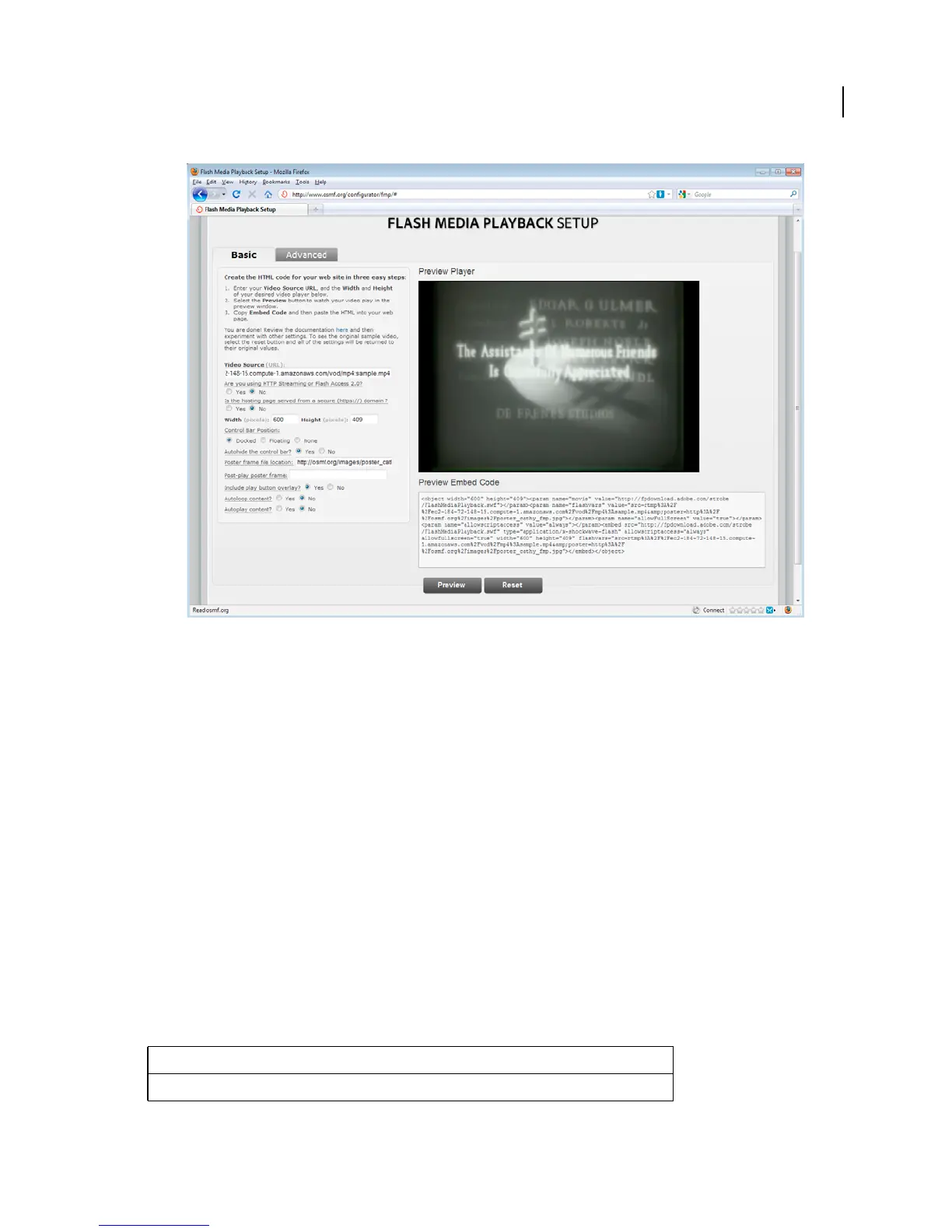
Flash Media Playback Setup page. Copy and paste the Preview Embed Code into an HTML page to use the video player. The video player
is hosted by Adobe.
You can select other options in the Flash Media Playback Setup page. After you change an option, click Preview to
update the embed code.
To embed Flash Media Playback in your own web page, copy the Preview Embed Code, and paste it into your
HTML page.
5 When you terminate the instance, the data is deleted. To keep the recorded stream, copy it to a storage volume (S3
or EBS). For information about transferring files, see
“Managing content” on page 30.
On-demand streaming with Strobe Media Playback
1 Follow steps 1-3 of the “On-demand streaming with Flash Media Playback” tutorial.
2 Download Strobe Media Playback.
3 Open the file strobe_root_folder/10.1/StrobeMediaPlayback.html in a text or HTML editor.
4 Locate the following URL:
"http://mediapm.edgesuite.net/strobe/content/test/AFaerysTale_sylviaApostol_640_500_short.flv"
Replace the URL with the URL of the file you copied to the instance and save the file. Use the following syntax:
"rtmp://public-dns/vod/mp4:filename.mp4"
File format URL
FLV rtmp://public-dns/vod/filename



 To Next Page