5
USING ADOBE MEDIA SERVER ON AMAZON WEB SERVICES
Getting started
Last updated 9/20/2013
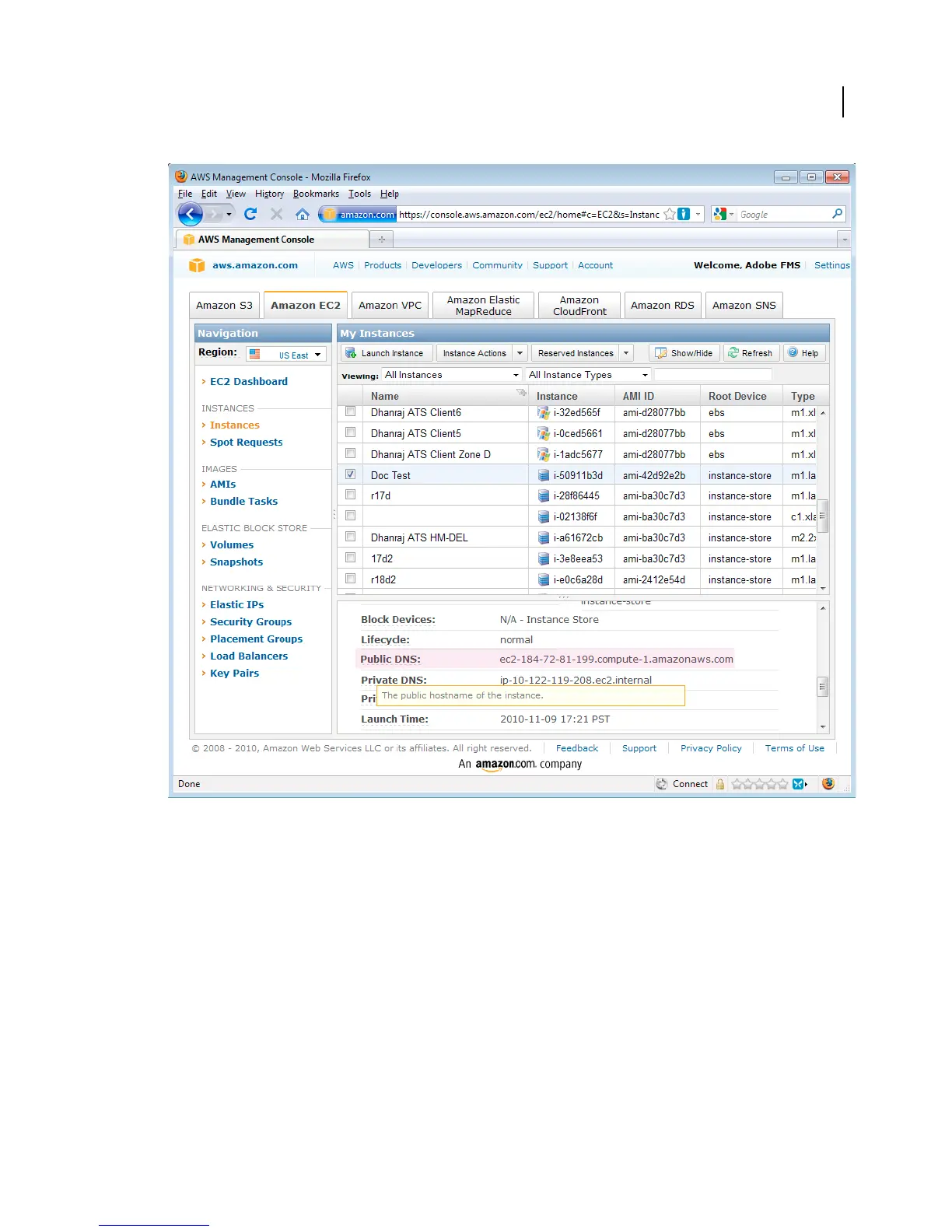
Public DNS entry in the AWS Management Console.
3 Open a web browser and paste the public DNS into the address field:
http://public-dns
For example, the address will look something like this:
http://ec2-184-72-81-199.compute-1.amazonaws.com
The Adobe Media Server Start Screen loads and begins streaming content.
4 If the Start Screen doesn’t load or stream content, do the following:
• Verify that the instance is running in the AWS Management Console. In the My Instances panel of the console,
the Status column should have a green light and say “running”.
• Verify that the correct Allowed Connections are set. For information about which connections to allow, see
“Modifying a Security Group” on page 22.



 To Next Page