-2-
00000-1B-10226P4
2) Compressor Level Selector Switch
o HIGH (45dB) : Select this position when you speak in a low voice or away from the microphone in
a quiet place.(The microphone will pick up the noise around the microphone.)
o LOW (35dB) : This is optimum position for normal QSO. You can enjoy QSO with enough voice
level at 10cm away from microphone.
o MANUAL : Select this position when you operate at noisy area or when you do not want
to use compressor function. The compressor Level Volume③ will be activated.
3) Manual Level Volume : It will be activated when the Compressor Level Selector Switch ② is at
“Manual” position. Adjust it to get an optimum level. (The pointer of level meter
should not deflect over “0dB ”.)
4) Output Selector : A changeover switch to select “OUT-A” ⑪ or “OUT-B” ⑫.
5) “ON AIR” Indicator : Turn the power switch① “ON” and LED Indicator ⑤ will blink on and off to
indicate the receiving condition.
The LED⑤ will light up continuously when transmitting.
6) PTT Switch : Use it for short time QSO. While pressing it, the TX LED indicator lights up and
the condition is transmitting. (When press it, it sounds ‘pip’ When releasing the
LOCK condition, also press this switch.)
7) LOCK Switch : Use it for long time QSO. Press it and it sounds ‘peep’.
The LED TX indicator⑤ will light up continuously. The condition is transmitting
until pressing the PTT switch⑥.
8) Level Meter : You can watch the level of microphone amplifier with this meter. When you use this
microphone with “MANUAL” position of Compressor Level Selector Switch, you
will have to adjust the indicator of the meter to keep under“0dB”. Refer to Manual
Level volume③
And it works as battery checker for a few seconds just after switching the power
“ON” .
9) UP/DOWN Switch : The same function as the UP/DOWN switch of transceiver. For details, please read
the instruction book of transceiver.
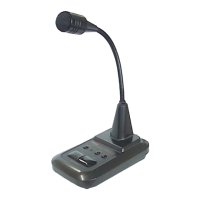
10) Microphone : This model is provided with Electret Condenser type microphone for easy
understanding sound quality.
11) Mic. Output Connector: “OUT-A”(8P ADONIS type terminal arrangement)
12) Mic. Output Connector: “OUT-B”(8P ADONIS type terminal arrangement)
(Note: The microphone Interconnecting Cables optionally available are provided with
directional condition for connecting. Please connect the cable with
microphone correctly. )
Terminals of Microphone Output Connector and ⑪ &
& &
& ⑫
and “ADONIS” standard terminal layout (8P)
(Fig. 2)
* When the transceiver connected to this model is supplying the microphone terminal with
DC5V-9V, 20mA minimum current, this model can get the DC power supply directly from
transceiver by connecting with “D” series microphone interconnecting cables. For
details, please refer to the list of the microphone interconnecting cables optionally available.
①
②
③
④
⑤
⑥
⑦
⑧
E:MIC.EARTH
M:MIC
P:PRESS TO TALK
G:PRESS TO TALK(EARTH)
U:UP
D:DOWN
C:U/D COMMON
B:DC FEEDING(DIRECT CURRENT)
E
M
P
B
G
U
D
1
2
3
4
5
6
7
8
(VIEWED FROM TERMINAL PIN SIDE)
C


 To Next Page
 Loading...