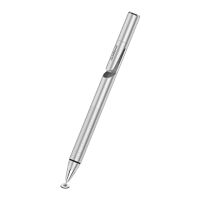
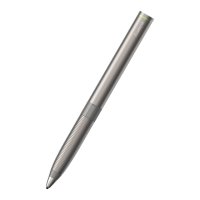
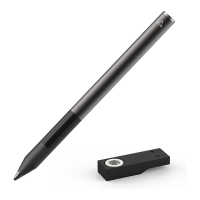
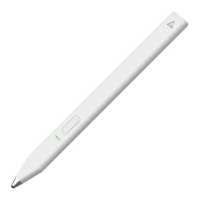
JOT TOUCH
Touch screens have simplified technology, but
there has yet to be a way to capture the precision
of a calligrapher or the stroke of an artist. Not only
should it meet your needs, but a stylus should have
style. We would like to fix that.
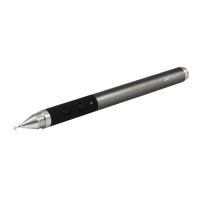
Keeping up with the Jot family tradition, Jot Touch
is the next evolutionary step for precision styluses.
COLORS
The Jot Touch is available in three colors; red,
green, and purple.
PRESSURE SENSITIVITY
Not all lines are created equally. Jot Touch reacts
to the amount of pressure you apply to deliver more
accurate interpretations of your strokes.
SHORTCUTS
Get to software tools quickly. Switch to your eraser
with the flick of a finger. Minimize your navigation.
Maximize your creation.
BLUETOOTH® CONNECT
Easily pairs with Bluetooth-ready devices. Once
connected, it gives you more tools like Pressure
Sensitivity and Shortcuts.
STAY JUICED
Plug the USB charger into your computer, tablet,
or iPad / iPhone charger to replenish Jot Touch and
keep those creative juices flowing.
PRECISION EVERYWHERE
Even if the app isn’t setup to read pressure input, you’re
still using the most precise stylus on the market. Jot
Touch’s precision disc works naturally with any app on
any touch screen: iOS, Android, and Windows.
WRITING ANGLE
The Jot Touch is designed to provide a range of
writing angles, but is optimized for a minimal angle
of 45 degrees. Hold your stylus at the angle you’re
most comfortable with. Jot gives you the freedom
to write or sketch like you’re used to.
COMPATIBILITY
The Jot Touch will work with any capacitive screen
including iPads, iPhones, MacBook Trackpads,
Magic Trackpads, HTC, Samsung, Nokia, Motorola,
Blackberry. It will not work with Wacom tablets or
Cintiq monitors, since these use
different technology.
It will only function on a PC if a capacitive touch
monitor is being used, but will not work with a
regular monitor. Note that the risk of scratching
is minimal when the Jot Touch is used with a
hardened glass capacitive touch screen, but touch
screen monitors for PCs may not use such
a glass screen.
JOT TOUCH TERMINOLOGY
1. Precision Disc
Mimics the capacitance signature of your
finger while allowing you to see exactly
where you’re drawing
2. Pressure Sensitive Tip
3. Button A
Shortcut Button
4. Power Button
Power On / Off and Bluetooth pairing
5. Button B
Shortcut Button
6. Indicator Light
Notifies you of Bluetooth connection,
battery level, and when charging
7. Charging Tip
Charging Tip sits on USB charger
8. USB charger
Plugs into any USB port
9. Protective Cap
Twists on to front and back
Replacement Tip
Located behind instruction manual
1
2
3
4
6
5
7
+
Jot touch
Product Information


 To Next Page
 Loading...