compatible app and not directly with iPad (although you still need to turn on Bluetooth
in your iOS device).
*The currently available Bluetooth apps compatible with Pixel include the following:
Concepts
Notes Plus
Autodesk Sketchbook
Astropad
Medibang Paint
Zenbrush 2
Animation Desk Cloud
Tayasui Sketches
Procreate
Zoomnotes
Please see the full list(updated) on website: https://www.adonit.net/jot/pixel/
Inaccurate lines while drawing- If you're using a screen protector, please know that
glass screen protectors and protectors that also act as covers as part of a tablet case,
may decrease performance, as they tend to be thicker than matte-finish PET screen
protectors. But see if you can try Pixel on another device's screen that doesn't have a
protector on it.
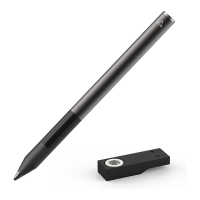
Tips seems come off- Please carefully check that the metal stylus Head at the front of
the Adonit Pixel is also screwed in correctly (don't move the black plastic part) by
carefully pointing the stylus downward so the tip is pointing down. Then carefully hold
the the tip with your thumb and forefingers, and, with the other hand holding the barrel,
carefully and slowly twist the barrel counterclockwise to unscrew the tip. Remove the
stylus barrel from the tip and blow into the opening to the tip. Then slowly twist the
barrel clockwise to screw the barrel back into the tip. Give a little force at the end to
make sure the tip is on well, though please know that even after the tip is screwed in, it
will move a little back and forth, so not to worry. Also, remember that there will still be a
small natural gap between the top of the Pixel tip and the barrel after a tip is screwed
back on.
User Manual
Turning Adonit Pixel on:
1) Make sure Pixel is charged well by first plugging the USB charger into a USB port. A


 To Next Page