Copyright © 2020 ADP, Inc. ALL RIGHTS RESERVED. ADP, the ADP logo and Always Designing for People are trademarks of ADP, Inc. ADP Confidential.
Timeclock Guide – ATS 700 Wi-Fi
Adapter Installation Guide
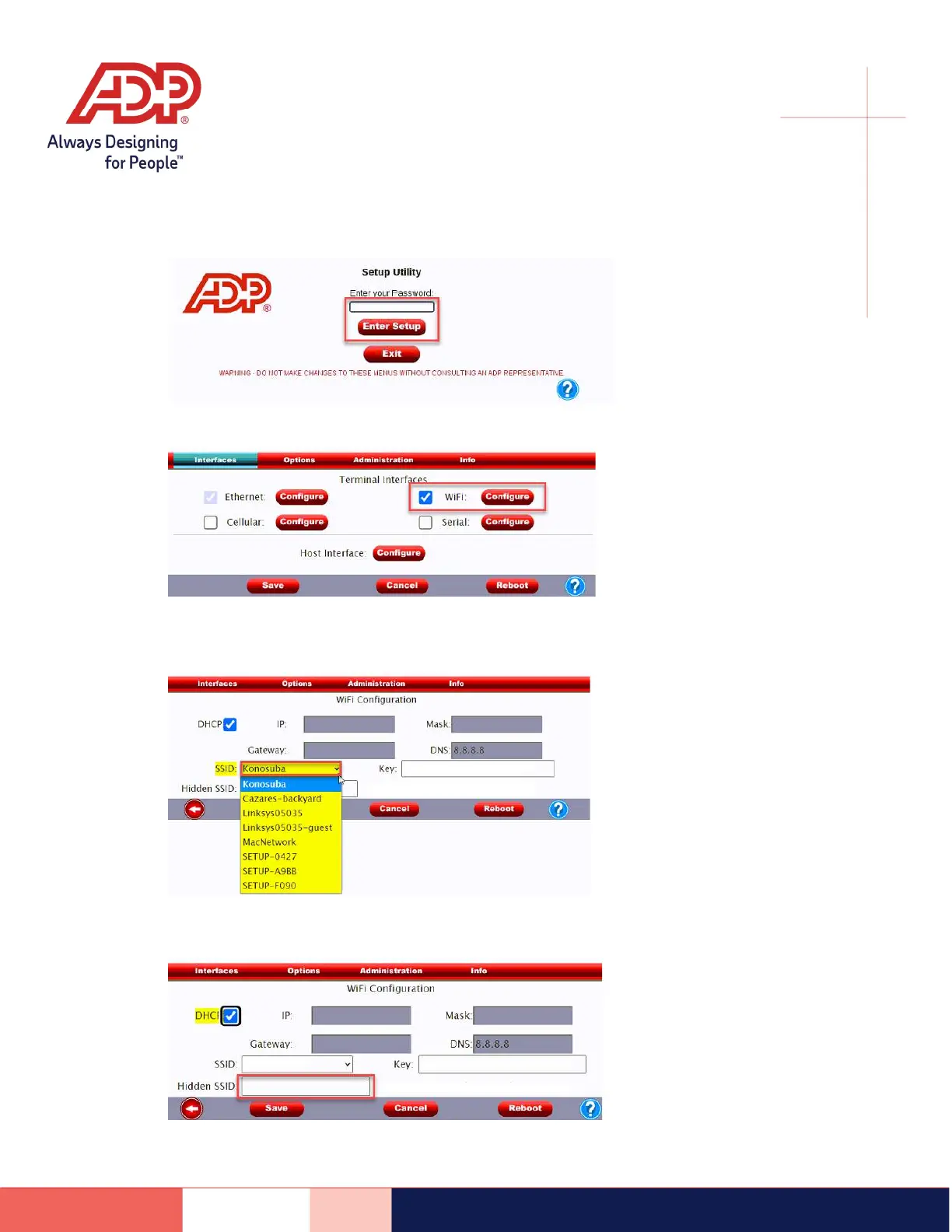
4) Enter Setup Password, tap Enter Setup
5) Check the box next to Wi-Fi, tap Configure
6) Expand the drop-down box next to SSID, tap your Network Name
Note: If your network does not appear > Enter the network name in the Hidden SSID field. This
field is case sensitive.



 To Next Page