Copyright © 2020 ADP, Inc. ALL RIGHTS RESERVED. ADP, the ADP logo and Always Designing for People are trademarks of ADP, Inc. ADP Confidential.
Timeclock Guide – ATS 700 Wi-Fi
Adapter Installation Guide
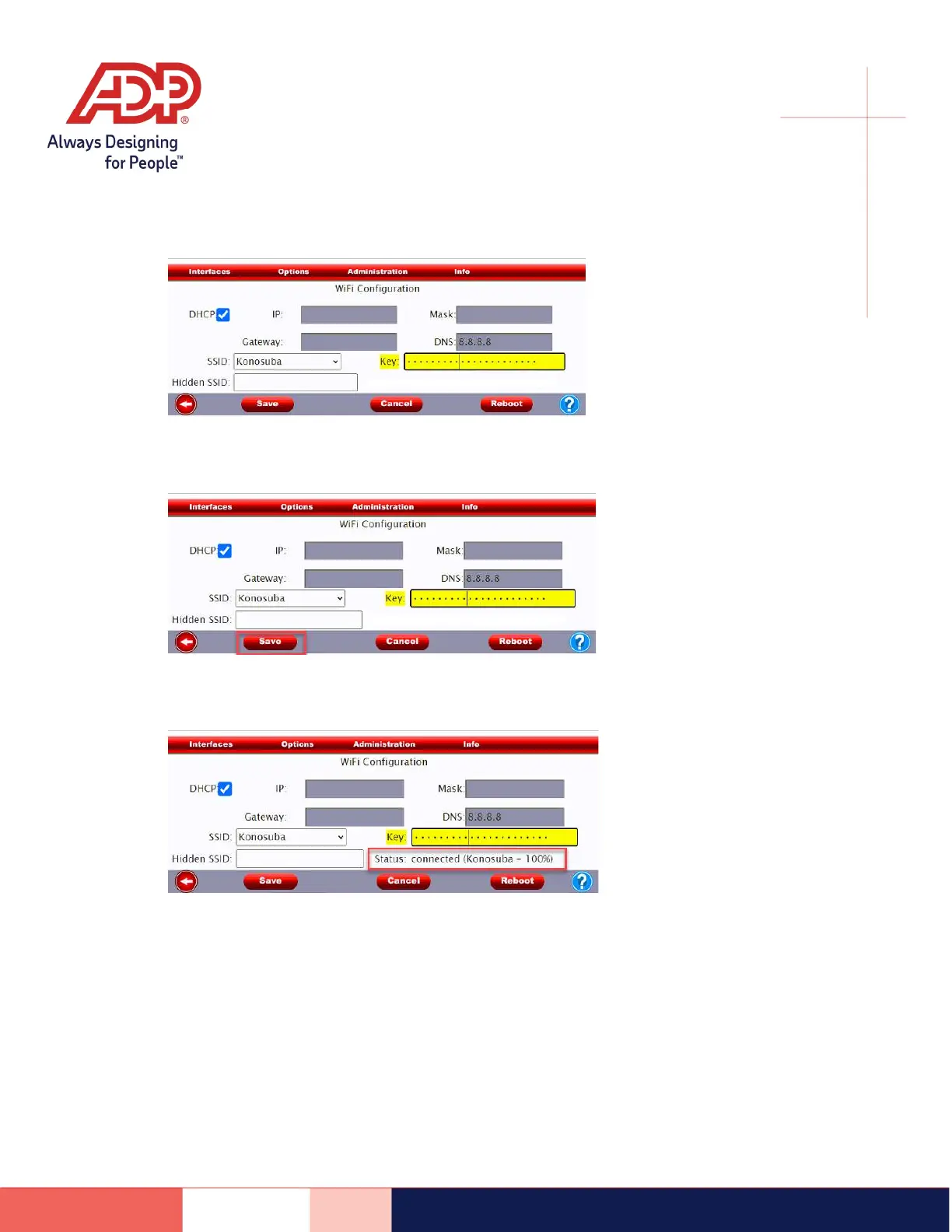
7) In the Key field, enter your Wi-Fi password
8) Tap Save and wait 15 seconds
9) A status will appear upon saving.
Connected: We highly recommend at least 70% connectivity. If your percentage is lower, we
recommend moving the clock closer to the router.
Disconnected: Verify your Wi-Fi network information. If the network information is correct,
reach out to our support team for further assistance. In some cases, we may ask for your IT or
internet service provider to be involved to verify network settings.


 To Previous Page
 Loading...