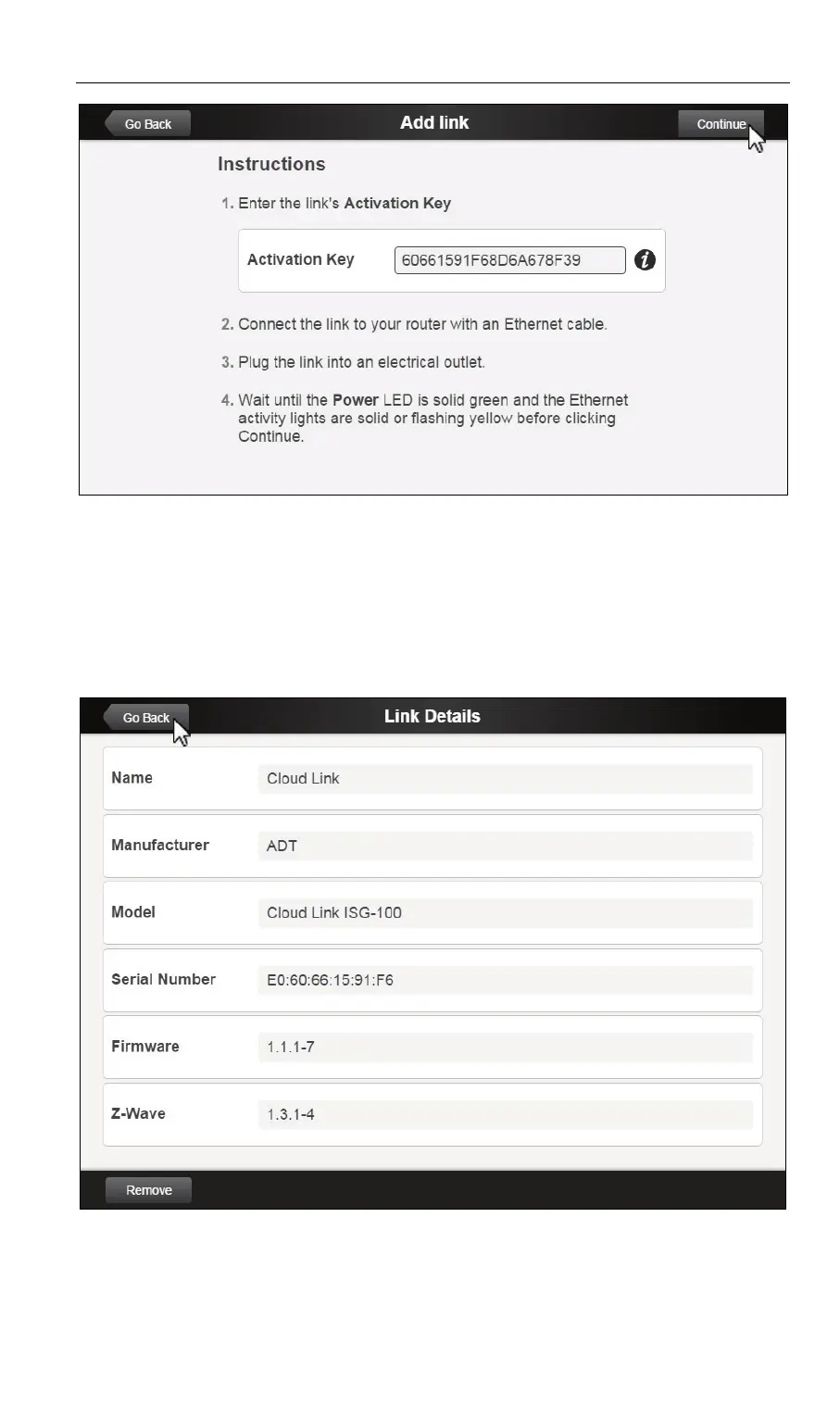
Cloud Link Quick Installation Guide 6
When the Link Details screen (below) appears, the Cloud
Link has been enrolled. The Power and Service LEDs are
now both lit solid green.
8. Click the Go Back button on the upper left portion of the Link
Details screen.
The newly-added Cloud Link appears in the Links list.
9. Click Go Back on the upper left of the Links screen to exit.


 To Next Page