Cloud Link Quick Installation Guide 7
Add Cameras
This section provides instructions for enrolling a Wi-Fi Pulse
camera.
Note: If you are adding a Z-Wave device, do not follow these
instructions. Instead, refer to the Add Z-Wave Devices section on
the next page.
1. After activating the Cloud Link, sign in to your ADT Pulse
account.
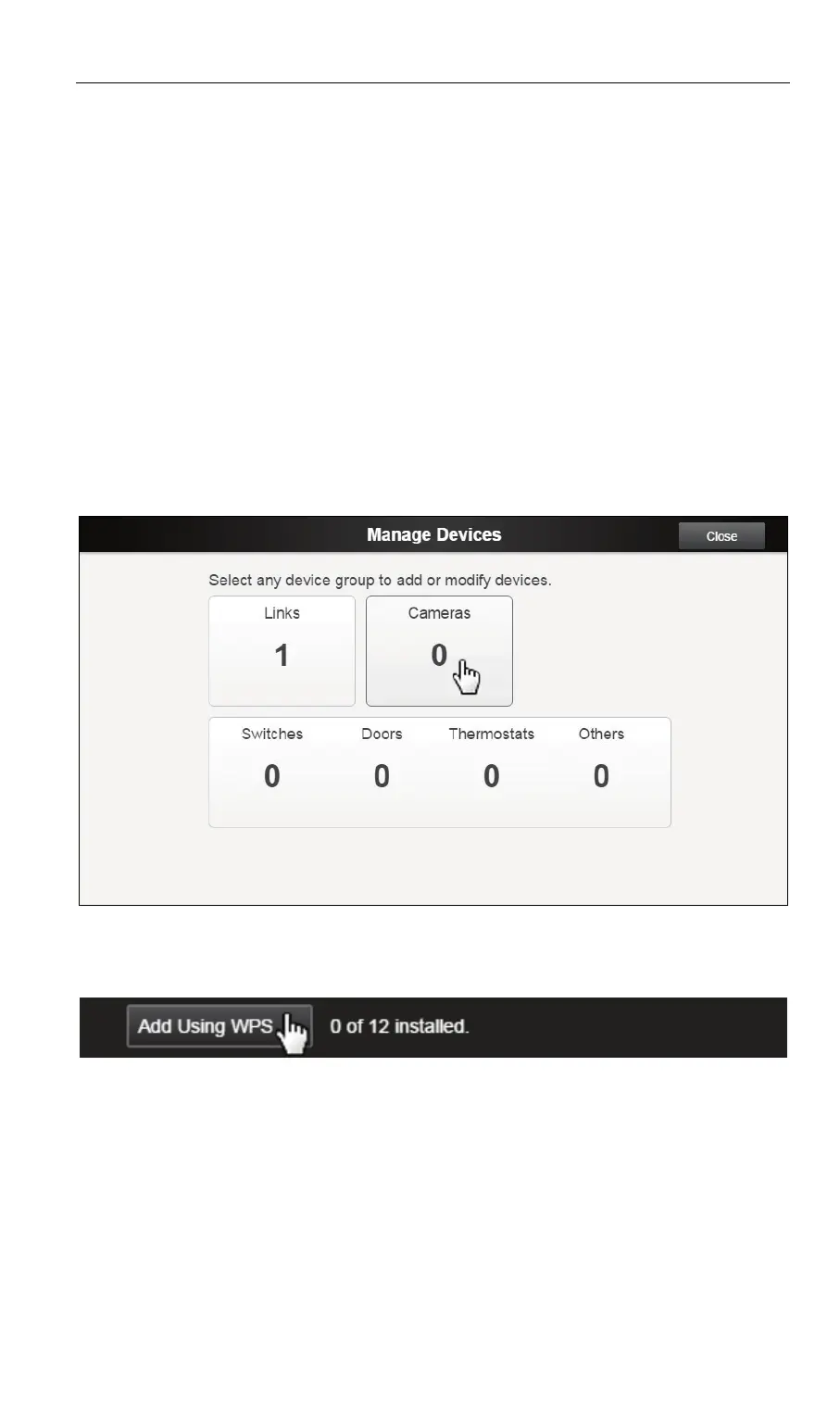
2. Click the Manage Devices button on System tab.
3. Select Cameras from the Manage Devices screen.
4. Click Add Using WPS at the lower left side of the Cameras
screen.
5. Follow the instructions on-screen and in the user guide that
accompanies the camera.
When the camera has been added, the Wi-Fi LED on the front of
the Cloud Link is lit solid green.
Note: The Cloud Link must be activated prior to adding cameras
using WPS.


 To Next Page