Cloud Link Quick Installation Guide 5
Activate Cloud Link
This section provides instructions for enrolling the Cloud Link.
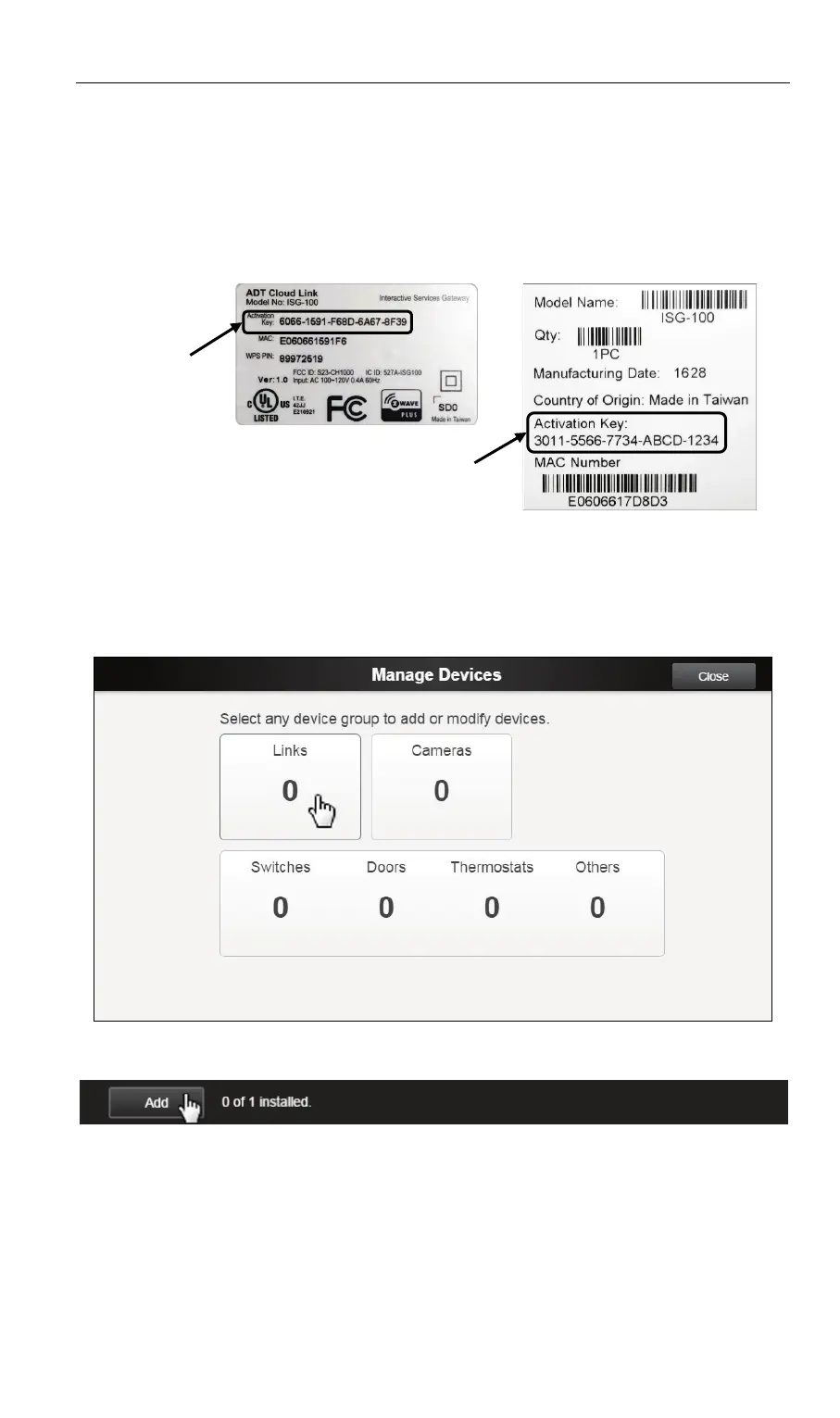
1. Identify the Activation Key number from the label on the
rear of the Cloud Link device or label on the product carton.
2. Launch an Internet browser and sign into your Pulse account.
3. Click the Manage Devices button on System tab.
4. Select Links from the Manage Devices screen.
5. Click the Add button at the bottom of the Links screen.
6. Enter the Activation Key number in the Activation Key field
on the Add Link screen. DO NOT INCLUDE THE DASHES.
7. Ensure that the Cloud Link Power LED is lit solid green, and
then click the Continue button on the upper left portion of
the Add Link screen to initiate the enrollment process.


 To Next Page