Cloud Link Quick Installation Guide 4
Power Up
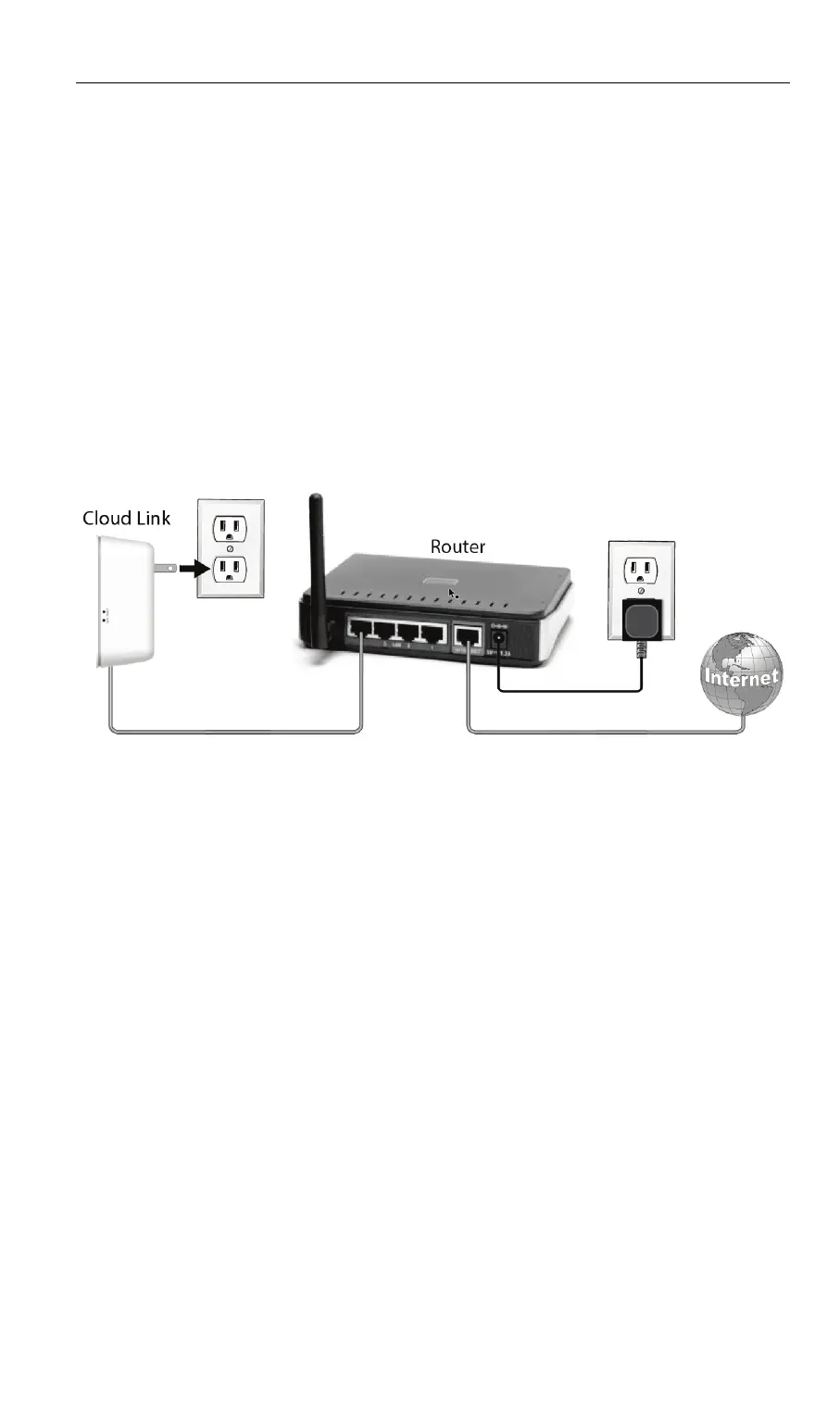
1. Connect the Cloud Link to your home router using the
provided Ethernet cable.
Note: Do not remove the Ethernet cable following
installation. It must remain connected for the Cloud Link to
communicate.
2. Plug the Cloud Link into an electrical outlet.
3. Wait until the Power LED on the front of the Cloud Link turns
solid green.


 To Next Page