Need help?
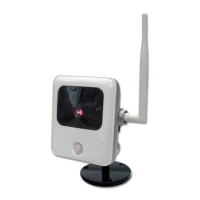
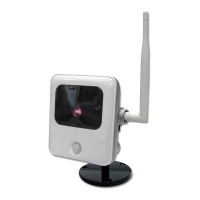
Do you have a question about the ADT Pulse OC810 and is the answer not in the manual?
Provides details of the Network Camera's features, components, and capabilities.
Lists the key features of the Network Camera, such as standalone design and triple video support.
Details network features like user-definable HTTP/HTTPS port, DDNS, and NTP support.
Outlines security aspects including user authentication and password-protected configuration.
Covers wireless capabilities like 802.11n support, WEP/WPA/WPA2 security, and WPS.
Describes the front panel components of the Network Camera, including lens, microphone, and power LED.
Details the rear panel components such as antenna, power input, reset button, and speaker.
Lists all the items included in the Network Camera package.
Specifies the hardware and software requirements for using the Network Camera.
Provides step-by-step instructions for installing the Network Camera hardware.
Guides users through the initial configuration of the Network Camera using a Windows-based wizard.
Introduces the process of viewing live video from the Network Camera using a web browser.
Lists the system requirements for viewing live video streams.
Explains how to establish a connection to view live video within the local network.
Details the steps to connect to and view the camera's live video stream over the internet.
Describes the interface and general options available for viewing live video streams.
Provides information on optional settings and features for viewing video.
Explains how to adjust video settings like format, resolution, and quality.
Details how to manage user access, including security checking and scheduled video access.
Guides on configuring the router/gateway to make the camera accessible via the internet.
Explains how to configure motion detection features and alerts.
Describes how to configure the Network Camera using its web-based interface.
Provides instructions for establishing a connection to the Network Camera's web interface.
Displays the initial screen presented after connecting to the camera's web interface.
Outlines the options available within the Administration menu for camera settings.
Details the System screen settings, including device ID, name, description, and date/time.
Covers network configuration options like connection type, DNS, and port settings.
Details wireless network settings, including SSID, security, and channel configuration.
Explains the configuration for Dynamic DNS service to enable internet access.
Describes how to control network camera access by filtering IP addresses.
Configures streaming settings for video and audio, including formats and quality.
Covers video and audio adjustments, including brightness, sharpness, and microphone/speaker settings.
Manages user access to video streams, including security checks and scheduling.
Details how to create and manage user accounts for accessing the camera.
Configures motion detection areas, thresholds, and related settings.
Configures audio detection sensitivity and triggering conditions.
Sets up email alerts for events, including SMTP server configuration.
Configures FTP settings for uploading captured files.
Sets up HTTP notification servers for event reporting.
Configures the camera to connect to SMB/CIFS servers for file storage.
Defines event schedules, triggers, and associated actions.
Provides access to firmware upgrades, backup, restore, and camera restart functions.
Displays the current system, network, wireless, and streaming status.
Shows system activity logs and provides options to refresh or clear logs.
Introduces the utilities package for viewing, listening, and recording live streams.
Lists the system requirements for installing and running the Windows utilities.
Guides on installing the Network Camera utilities package from the CD-ROM.
Explains the function and usage of the utility's icon in the Windows system tray.
Describes the main screen of the LiveView utility for viewing camera streams.
Details how to define and add cameras to the utility for viewing.
Explains how to use the LiveView program to view up to 9 camera streams.
Guides on using the program to search and play back saved camera recordings.
Covers the setup program for configuring recording options and settings.
Covers common problems encountered while using the Network Camera and their solutions.
Addresses specific issues like connection failures, utility listing problems, and password prompts.
Provides technical specifications for the Network Camera, including dimensions and operating conditions.
Lists regulatory compliance information, including CE approvals and standards.
Contains information regarding software licenses and copyright.
Details CGI commands for user-level access to stream video and capture snapshots.
Lists CGI commands for administrator-level control and configuration of the camera.
 General
| Brand | ADT Pulse |
|---|---|
| Model | OC810 |
| Category | Security Camera |
| Language | English |

 To Next Page