Click Next to continue.
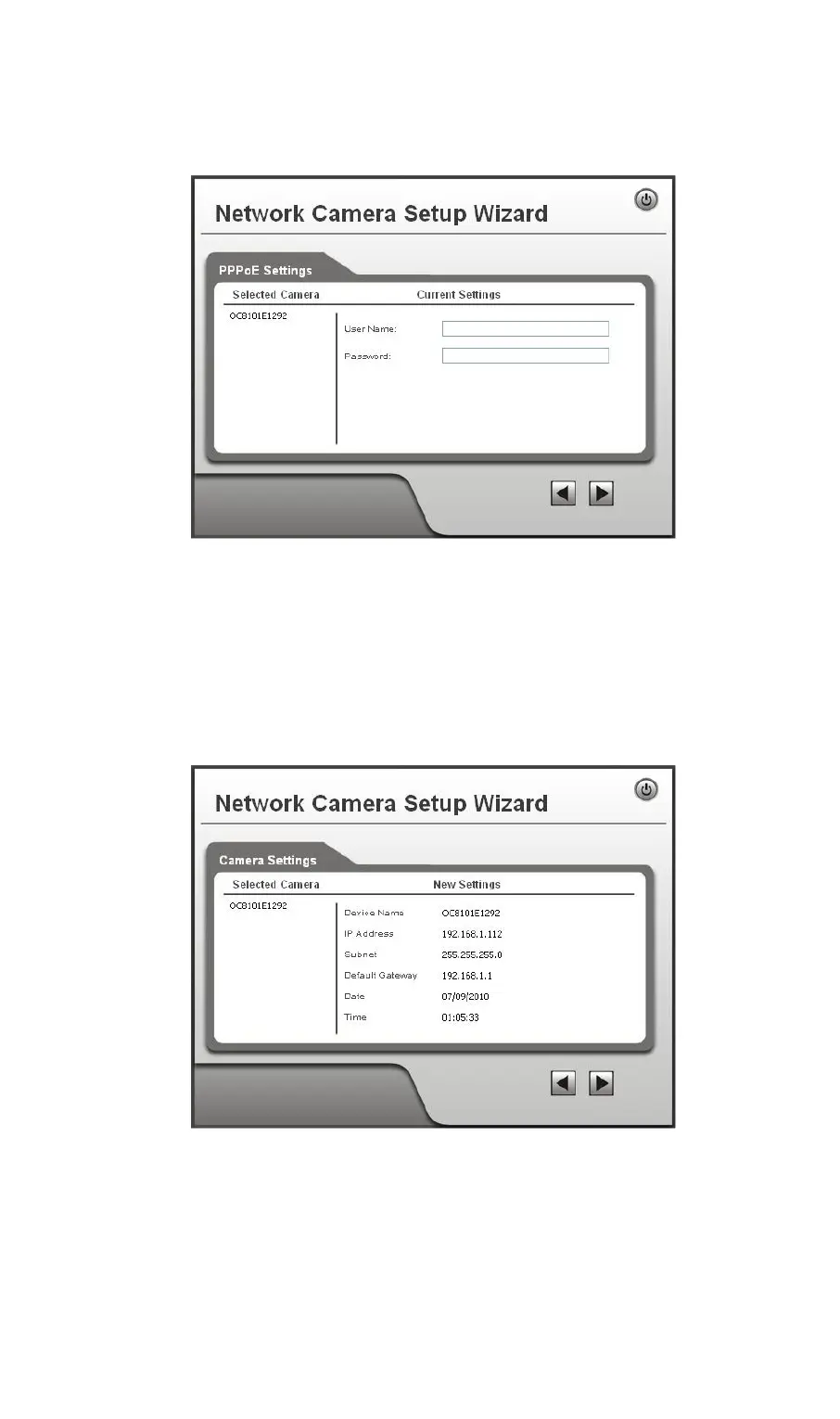
7. If you chose PPPoE, the following PPPoE Settings screen will be displayed.
Figure 11: PPPoE Settings Screen
• Enter the User Name provided by your ISP.
• Enter the Password for the user name above.
Click Next.
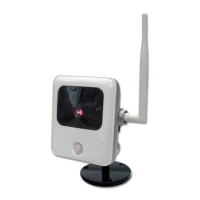
8. The next screen, shown below, displays all details of the Network Camera.
• Click Next if the settings are correct
• Click Back to modify any incorrect values.
Figure 12: Save Settings
9. Click OK to confirm that you want to save the new settings. If you want to cancel your
changes, click Cancel.
12


 To Next Page