63
3. Keep the door approx. 1 cm ajar, until the glass is too hot to touch. Then close the door. When there
are distinct, visible flames and the fire has taken hold, close the primary air intake.
3.3.3 How do I add pellets?
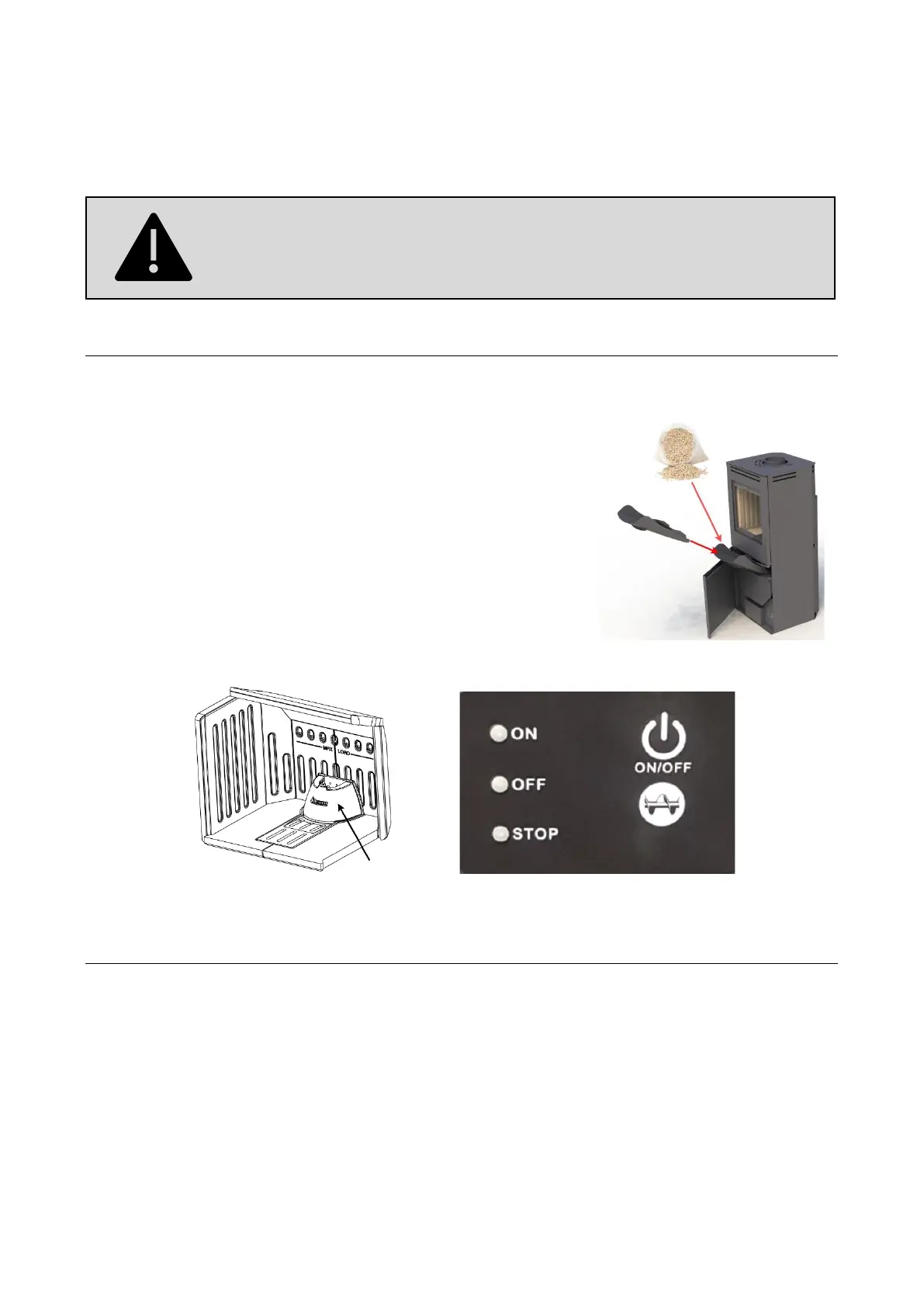
Place the enclosed funnel in the opening of the pellet box and add the pellets. The pellets are distributed
with a poker in the box to make use of the entire capacity (approx. 13 kg of pellets).
By the first use, the augers must be filled with pellets:
Open the door to the combustion chamber and lift out the front of the
brazier (the black cast iron cone with the Aduro logo) so you can see
the pellets. Close the stove’s door. Press and hold the AUGER button
and the augers will start transporting the pellets (only at OFF mode
yellow button). After approx. 12 minutes where you press and hold the
AUGER button, the auger pipe will be filled with pellets. Stop pressing
the AUGER button when the pellets are about 2 cm under the auger
pipe’s top edge. Insert the brazier and close the stove’s door. In section
5 you will find an overview of the different alarms.
3.3.4 Lighting the fire with pellets
Push the ON/OFF button and wait until the ON button displays a constant green colour. The lighting of the
fire will then start automatically and the pellet burner will start. When the stove is lighting, the combustion
chamber will be filled with smoke until the ignition starts. After approx. 6 minutes flames should appear.
Normal use should be achieved after 15-20 minutes.
When the smoke temperature reaches 90 degrees, the stove will shift from the “warm up mode” to “normal
mode” and continue with the last settings. You can manually change between 3 heat levels without using the
app by pushing the logo with an auger, which is placed directly under the ON/OFF button on the display.
• Step 3 (100 % operation): ‘ON button’ lights green constantly.
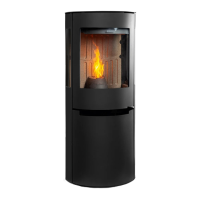
The control handle will get warm when the Aduro H5 is in use. Please use the
glove provided when you operate the Aduro H5.


 To Next Page