Revision date: 22.01.2024
How to adjust the settings in the Aduro Pellet Stove App
A limited number of settings are also adjustable in the service menu in the Aduro Pellet Stove App. Adjust
the settings according to the excel sheet mentioned above.
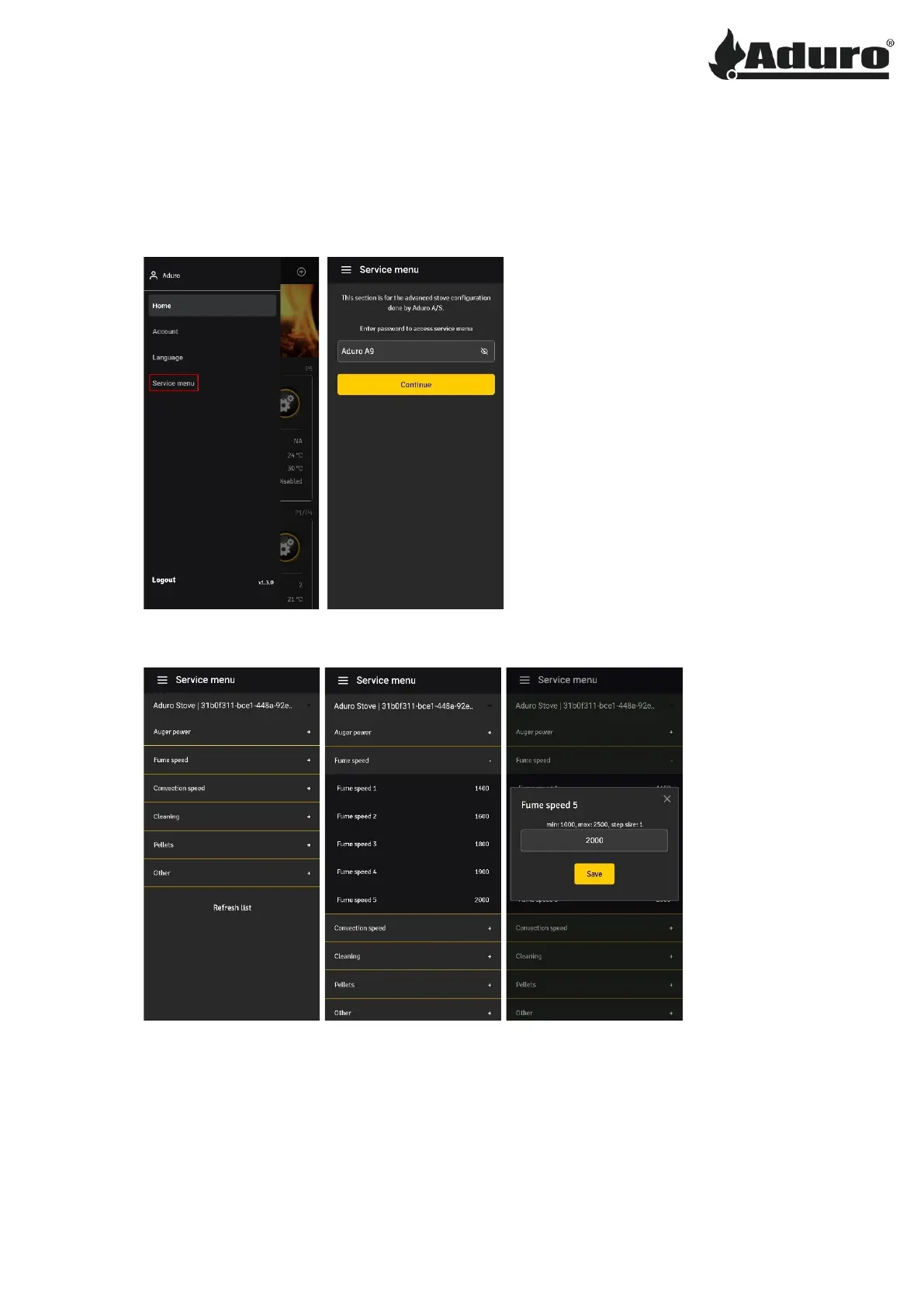
1. Access the menu by clicking the three lines in the upper corner, then select service menu. An access
key will be required, insert “Aduro A9”:
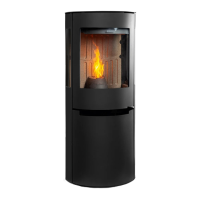
2. To adjust any setting, select a submenu, choose the value that is to be changed, insert the new
value, and click “save”:
Keywords: Pellet, stove, pellet stove, adjust, settings, app, display, remote control, P1, P4, P5


 To Previous Page