Need help?
Do you have a question about the Advanced Sensors EX-1000 and is the answer not in the manual?
Provides an overview of the OIW-EX Series analyzers and their applications.
Outlines general safety precautions for operating and handling the equipment.
Details safety measures related to the equipment's flameproof enclosure.
Covers electrical safety requirements for installation and operation.
Highlights safety considerations for the physical handling and operation of the unit.
Addresses safety precautions related to the laser used in the measurement process.
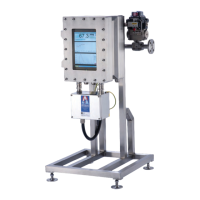
Describes the generic external components of the OIW-EX Side-Stream analyzer.
Details the measurement process and the configurable cycle phases.
Explains the LIF measurement principle and ultrasonic transducer functions.
Provides a graphical overview of the OIW-EX measurement cycle phases.
Details the individual phases of the measurement cycle.
Introduces the basic operation of the analyzer software on MS Windows.
Guides users through the initial power-up and software start sequence.
Provides an overview of the OIW EX software's main display with its three information panels.
Explains the feedback display showing measurement, status, and alarm indicators.
Explains the graphical display areas for measurements and spectral data.
Covers viewing and configuring system parameters, login, and additional graphs.
Details the panel for configuring system parameters via various tabs.
Enables configuration of cycle phases for specific time periods.
Manages oil type files for system calibration based on oil characteristics.
Shows key configuration data for quick reference, including Measure Cycle and Oil Type.
Lists system log messages, their severity, and recommended actions for troubleshooting.
Provides guidance on resolving issues and performing maintenance.
Outlines the recommended sampling and tuning procedures for calibration.
Details the steps for collecting samples to ensure consistency with analyzer readings.
Guides through the process of calibrating the analyzer using collected samples.
Explains how to adjust offset and integration time to correlate readings with lab results.
Details the software interface adjustments for dual flow systems.
 General
| Measurement Range | 0-1000 ppm |
|---|---|
| Accuracy | ±1% FS |
| Operating Temperature | -20°C to +50°C |
| Power Supply | 24 VDC |
| Weight | 300 g |
| Output Signal | 4-20 mA |
| Display | LCD |


 To Next Page