Need help?
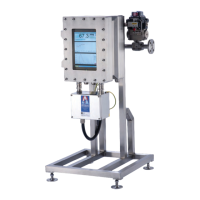
Do you have a question about the Advanced Sensors EX-100 and is the answer not in the manual?
Details safety precautions for operating the equipment in hazardous areas and general safe practices.
Outlines safety requirements related to the flameproof enclosure and local 'hot' working procedures.
Covers electrical safety requirements for installation and operation, including earthing and protection.
Details safety precautions for handling the heavy unit, measurement chamber, and process fluid pressure.
Explains safety precautions related to the Class 3R laser used in the measurement process.
Advises on wearing ear protection due to potential high noise levels from the ultrasonic cleaning.
Details the measurement principle and the overall process of the measurement cycle.
Explains the Laser Induced Fluorescence method and the role of the ultrasonic transducer.
Summarizes the status of analyzer events during flowing, cleaning, and measurement phases.
Describes how to start and stop the measurement cycle using the software interface.
Provides a detailed overview of the software's main screen layout and its three display panels.
Explains the function of the feedback display area for showing measurement readings, status, and alarms.
Details the multifunctional log and alarm buttons and their status indicators.
Describes the two graphical display areas for measurements and available configurations.
Enables configuration of system parameters via various sub-menus and tabs.
Groups system settings, water line options, custom logs, passwords, and help features.
Allows configuration of cycle phases for set periods to suit specific processes and oil types.
Provides information for software configuration of system alarms, including thresholds and limits.
Details how to set measurement threshold alarms and allocate alarm limits to relays.
Allows assignment of valve open/close timings and relays for system log alarms or cycle stops.
Describes loading, adding, and removing oil type files for system calibration.
Outlines recommended sampling and tuning procedures for calibrating the analyzer.
Details adjusting offset and integration time to correlate readings with laboratory results.
 General
| Brand | Advanced Sensors |
|---|---|
| Model | EX-100 |
| Category | Measuring Instruments |
| Language | English |


 To Next Page