1
Waterproof Requirements
Please waterproof cables in accordance with the following instructions. User shall
assume all responsibility for device damage caused by water due to improper
waterproof measures.
NOTE!
l Before you start, connect all the needed cables and cut off the copper wires for
the cables that you don't use.
l Please use self-adhesive waterproof tape (supplied with some products) to
protect the cables.
l Use waterproof components to protect the network cable. Waterproof the
power cable separately if you don’t use it. The video cable does not need
waterproof treatment.
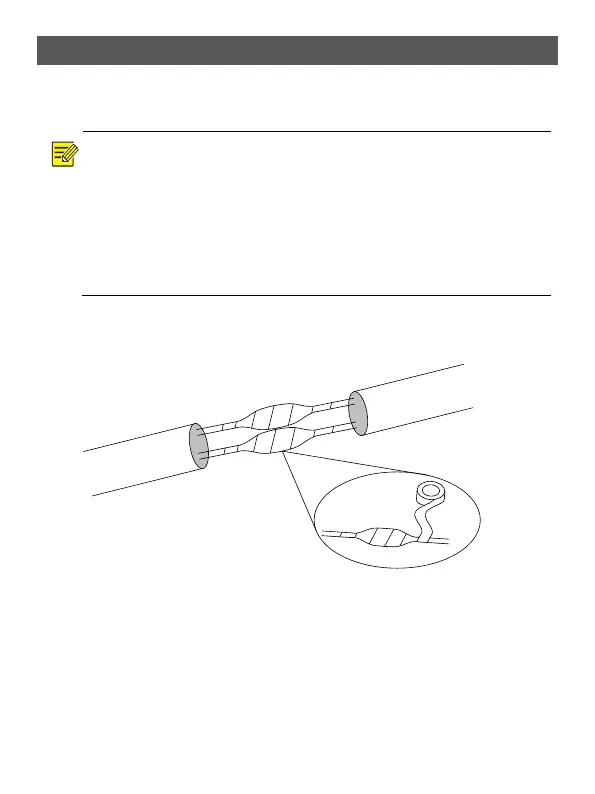
1. Use insulation tape (not included in the package) to insulate the connection part
of each cable.
!
2. Waterproof the cables with self-adhesive waterproof tape.
(1) Fully stretch the waterproof tape at both ends.
(2) Wrap the connection part and the cable ends tightly with waterproof tape.
Make sure the tape is fully stretched during the process.
(3) Tighten the tape at both ends to prevent water leakage.
Connection part
Insulation tape



 To Next Page