6
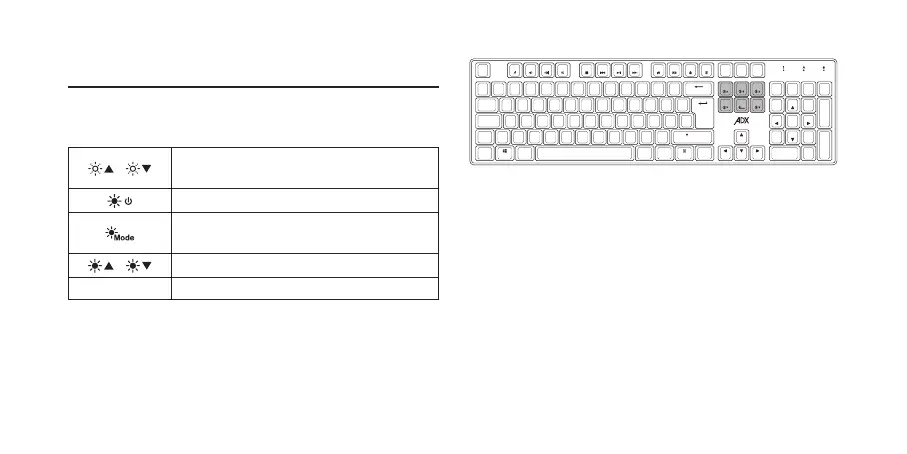
Backlight Eect
To access these functions, press the FN Key and the desired
key together.
/
Adjust the backlight flashing sequence
level.
Switch the backlight on/off.
Select different backlight effects.
(18 modes / 1 customised mode)
/
Adjust the backlight brightness.
Spacebar Change the backlight colour.
Caps
Shift
Shift
Ctrl CtrlAlt Alt Gr Fn
1 2
£
3 6 7 8 9 0
$
4
€
5
\
|
Z C V B N M
<
,
>
.
?
/
–
-
+
=
X
A S F G H J K LD
F1
Esc
F2 F3 F4 F5 F6 F7 F8 F9 F10 F11 F12
!
¬
`
¦
˝
^ & *
( )
%
:
´
;
@
Tab
Q W R T Y U I O PE
{
[ ]
}
Insert
Delete
Screen
Print
PgUp
PgDn
Break
Pause
Home
End
Lock
Scroll
/
8
5
2
0
Ins
*
PgUp
9
6
PgDn
3
Del
.
-
+
Enter
Home
7
4
End
1
Lock
Num
˜
#


 To Next Page