8
Charging the Headset
Before using the unit for the rst time, ensure it is fully charged.
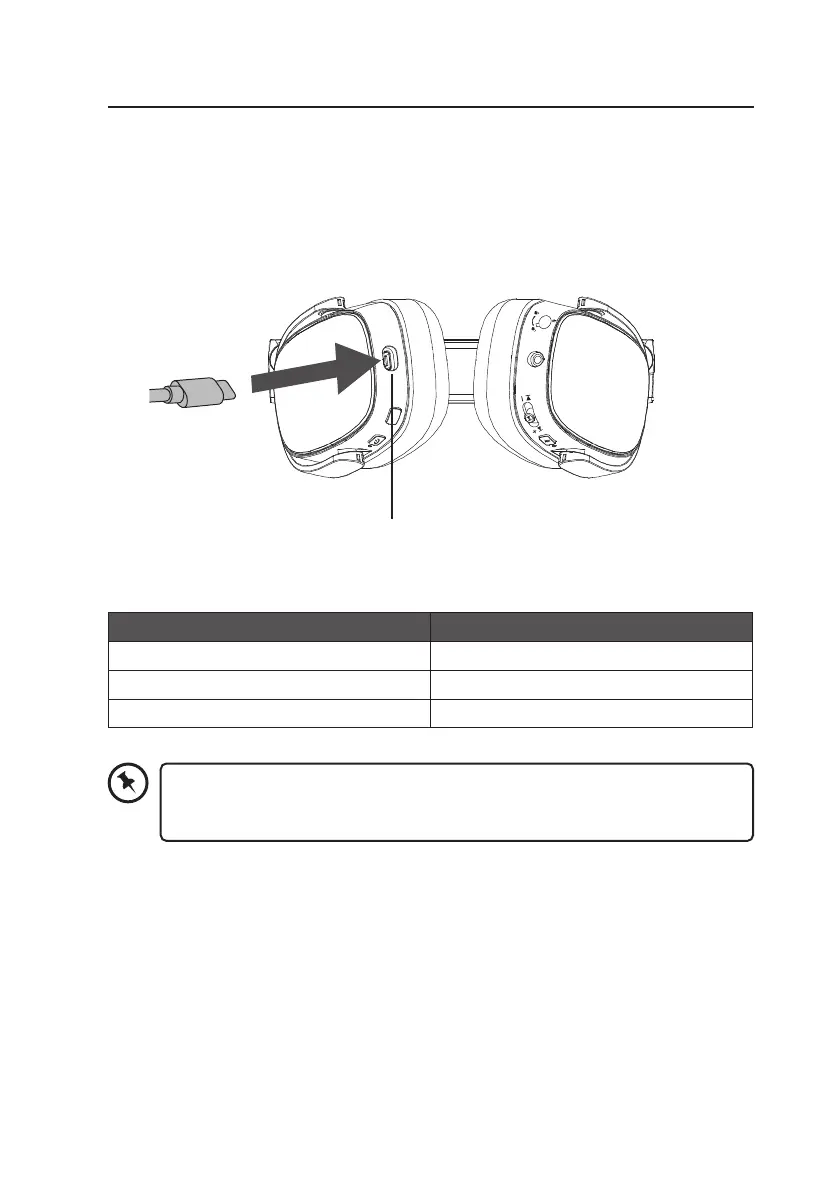
1. Connect the provided USB C Charging Cable to the USB C Charging Port on the
headset.
2. Plug the other end of the Charging Cable into a powered USB device.
Status Indicator
Charging Solid Red
Fully charged Green
Low Battery Flashing in Red
M
USB C Charging Port
USB C Charging
Cable
The indicator will ash in red once every 2 seconds and the unit will prompt “Low
Battery“ in every 5 minutes when the unit is low battery. Recharge the unit with
the provided charging cable.


 To Next Page