12
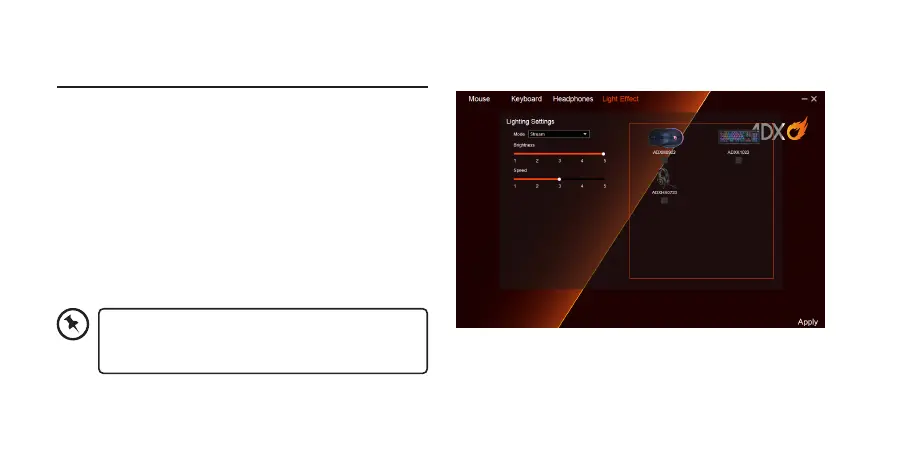
User Interface - Light Eect
If one more ADX gaming device is connected, you may
synchronize their light eects.
1. Select Light Eect, and the devices you want to apply
the light eect.
2. Select your preferred Lighting Settings (Mode,
Brightness and Speed).
3. Select “Apply“ to implement your settings.
To reset the setting of a particular device, select a
connected device shown in the menu, and then
select Reset.


 To Next Page