How To Turn The Delivery Unit ON
Press and hold the left-hand button until it beeps, then release. Once the battery charge indication
has been shown (3 seconds) the left-hand button will light either green or red/amber.
Green: Indicates the Delivery Unit has sufficient battery to deliver the next Treatment Option
Red/Amber: Indicates the Delivery Unit needs charging.
How To Turn The Delivery Unit OFF
Press and hold the left-hand button. After a couple of seconds you will hear a confirmation beep,
then release. All the lights will then turn off.
Audible Beep Alert
The Delivery Unit is supplied with the audible beep alert ON.
Turning Audible Beep Alert ON/OFF:
• Ensure the delivery unit is turned ON
• Press and hold both buttons at the same time
• After 3 seconds you will hear 3 short beeps
High-High-High = Audible Beep Alert Enabled
High-High-Low = Audible Beep Alert Disabled
How To Know If There Is Sufficient Charge
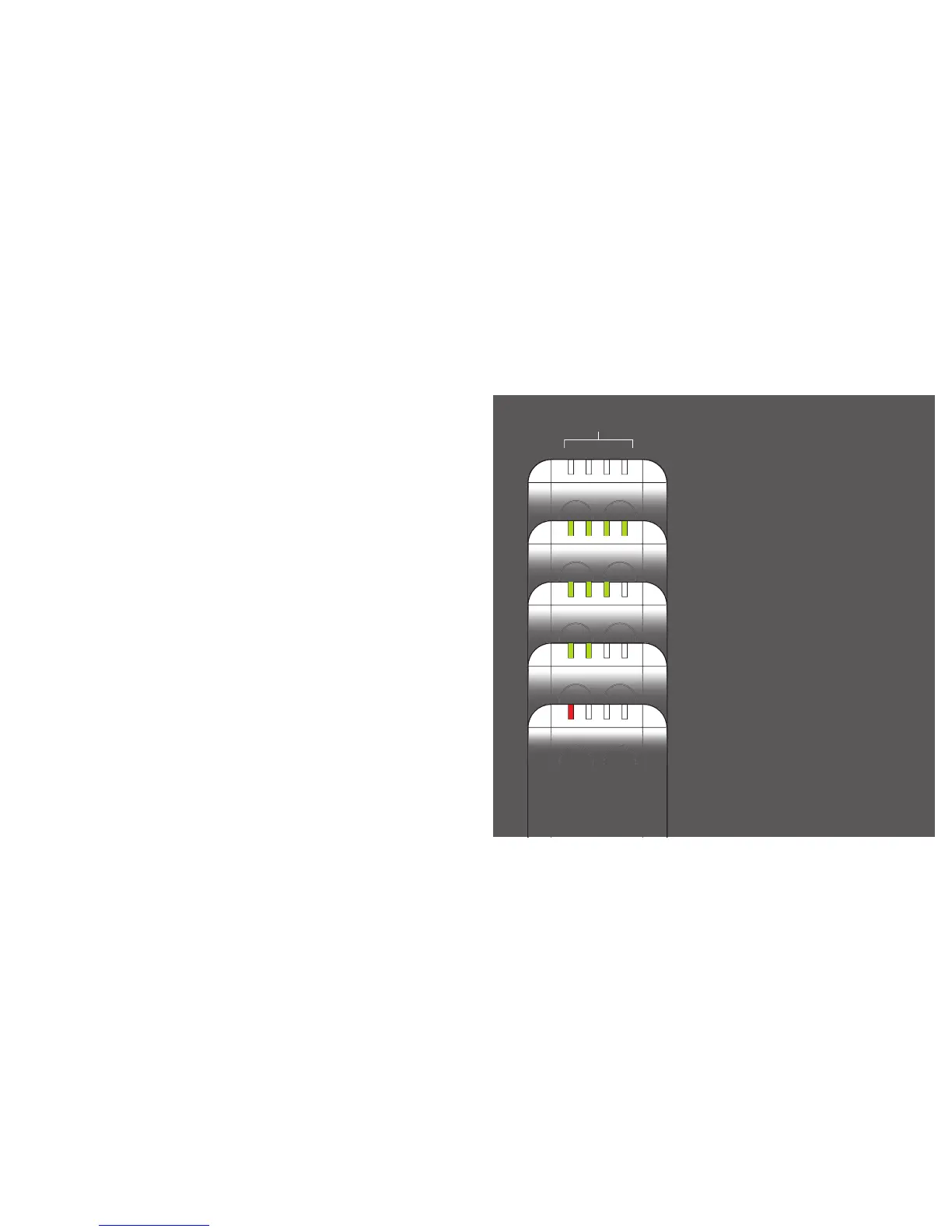
When the Delivery Unit is turned ON, the Treatment
Option indication LEDs (1-4) will momentarily flash
Green and Red to show that they are functioning
correctly. They will then change to battery strength
indication mode.
100% charge
75% charge approx
50% charge approx
25% charge or less.
To be recharged after next Delivery Period
After 3 seconds, all LEDs will switch OFF, and the
LED (1-4) indicating the last Treatment Option
delivered will show constant amber/red.
The Delivery Unit is now ready for activation.
6 7


 To Next Page