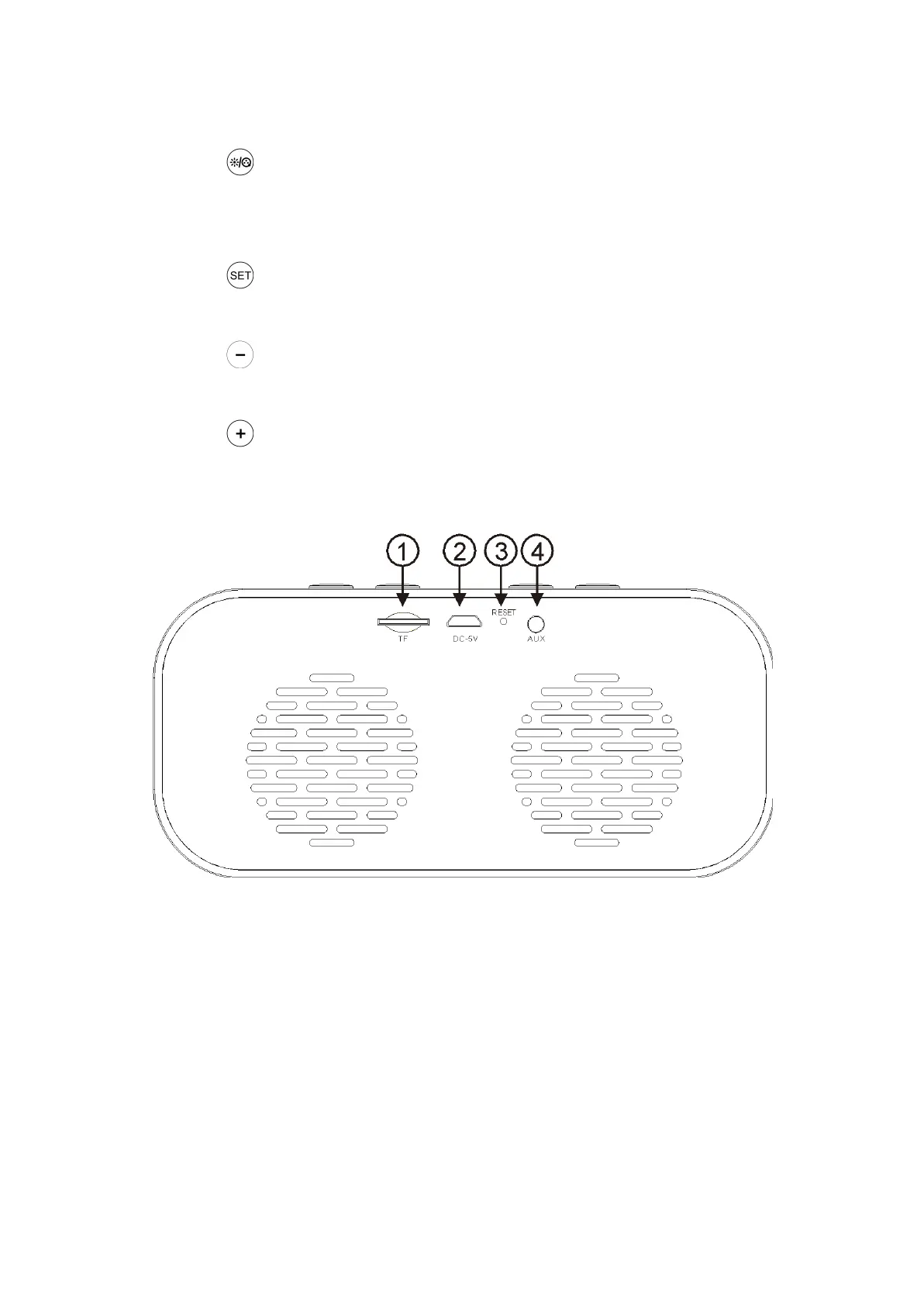
2) Time and Alarm clock settings buttons
a) Short-press to cycle clock brightness (strong brightness (set by
default)/normal brightness/weak brightness; Long-press to turn On/Off
the LED clock display
b) Short-press to change clock modes (alarm clock 1 or 2 / alarm
clock 1 and 2 / no alarm clock
c) Time setting (long-press to decrease hours, short-press to
decrease minutes)
d) Time setting (long-press to increase hours, short-press to increase
minutes)
1) TF card slot
2) Charging port: microUSB/DC 5V
3) Reset and Charging indicator
4) 3.5mm audio port


 To Next Page