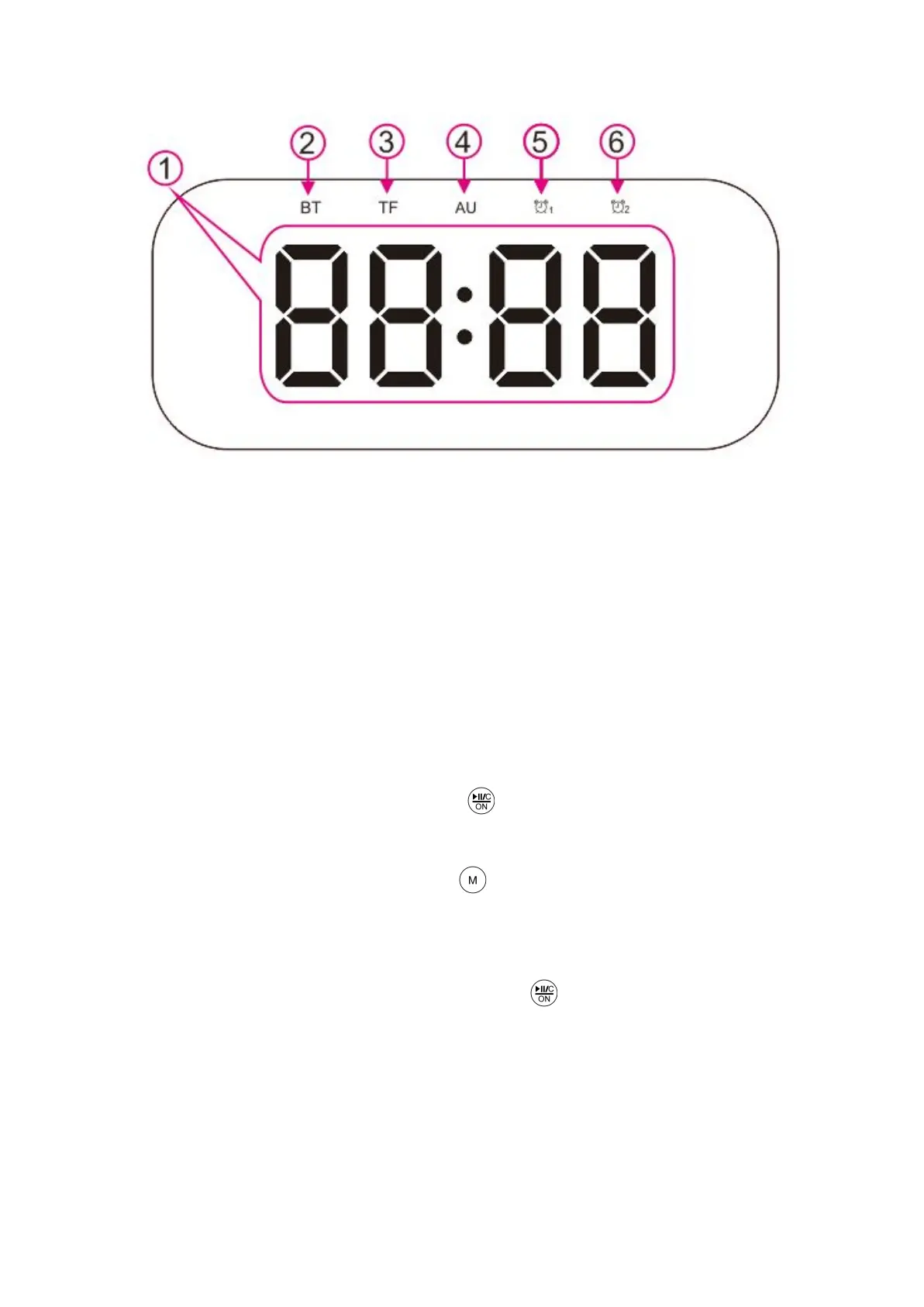
1) LED digital display
2) Bluetooth mode
3) TF mode (mp3 music playing from the TF card)
4) AUX mode (an audio device connected over the 3.5mm port)
5) Alarm Clock 1
6) Alarm Clock 2
General functions
To turn the speaker on, press the button for 3 seconds. The Bluetooth
mode is set by default. If the device is disconnected for 5 minutes it will turn off the
Bluetooth automatically. Short-press the button to switch to Bluetooth mode or
long-press to enter the pairing mode. When in pairing mode, scan for “BT501” on
your device and pair it.
When you get an incoming call press the button to answer the call and
press it again afterward to end the call.
To disconnect your device from the speaker you can turn off the Bluetooth on
your device, disconnect from your phone or it will be disconnected automatically if
your phone is out of range.


 To Next Page