
 Need help?
Do you have a question about the AEC BT501 and is the answer not in the manual?
Details on buttons for music playback: function switch, play/pause, volume, and track control.
Controls for adjusting clock brightness, modes, time, and alarm settings.
Information on TF card slot, charging port, reset indicator, and audio port.
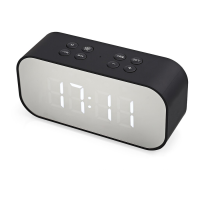
Explanation of the LED display elements for modes like Bluetooth, TF, AUX, and alarms.
Instructions for turning the device on/off, Bluetooth pairing, and call handling.
Step-by-step guide for setting the current time using the device buttons.
Process for setting Alarm 1 and Alarm 2, including switching between clock modes.
 General
| Display Type | LED |
|---|---|
| Color | Black |
| Connectivity | Bluetooth |
| Alarm Settings | snooze function |
| Power Source | Battery or USB |

 To Next Page