CONDOR™ A22 Quick Start Guide
3 | P a g e
2023 All Rights Reserved V1.1
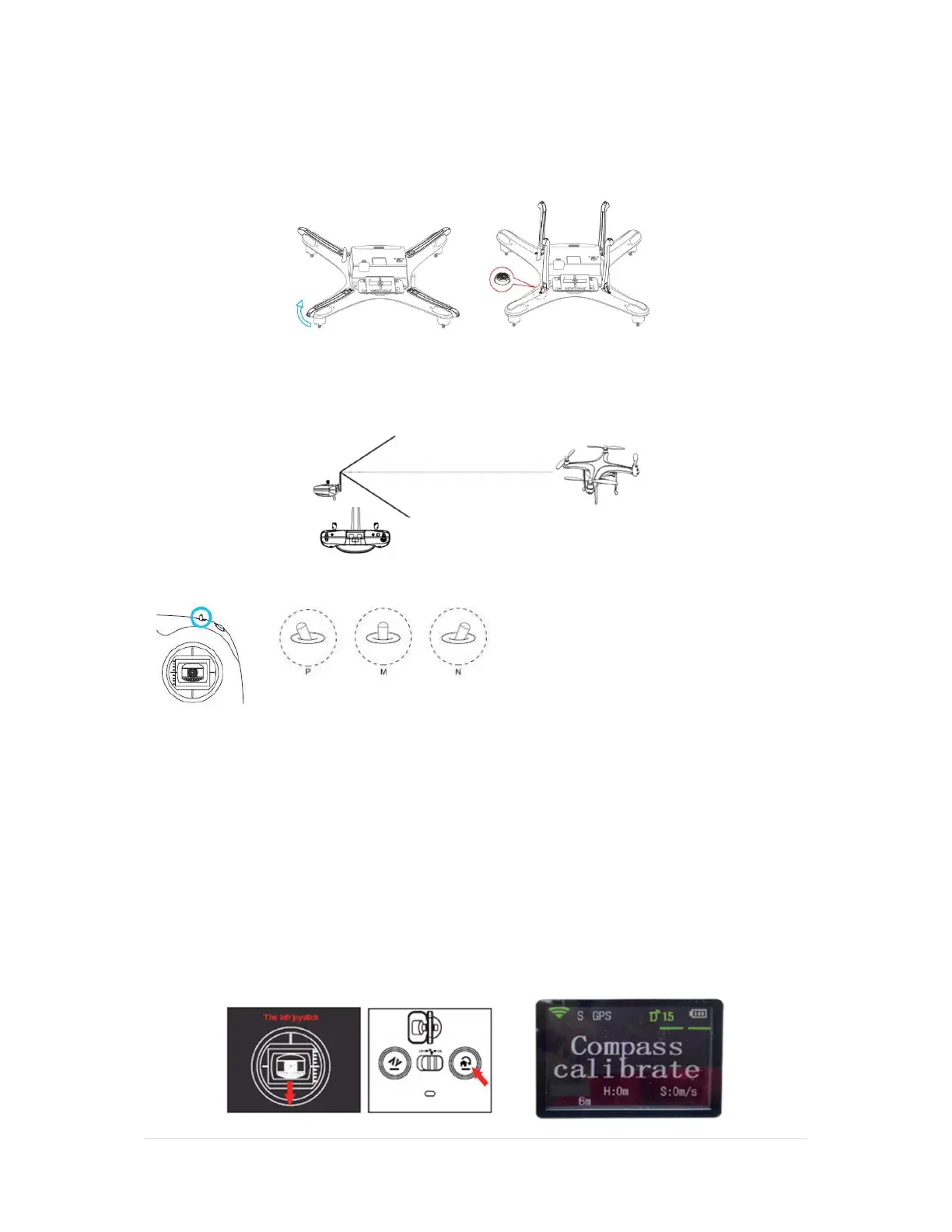
3. Extend the Landing Gear
To extend the landing gear: Gently pull the landing gear up until you hear it click into place.
4. Set up and Power on the Remote Control
Orientate the antennas vertically.
Confirm the Mode switch is in P-Mode
Slide the power switch “ON” and then Power on the UAV with one short press, release, press and
hold of the power button. ALWAYS POWER ON THE REMOTE CONTROL FIRST.
CAUTION: Always make sure the mode switch is in P-Mode and remains there.
Wait for the “System Warm Up” phase to complete and Status LEDs to go Green.
5. Calibrate the Compass
1. Pull down and hold the left joystick (A) and press the Auto-Return-Home button (B) 10 times
or more until the remote screen displays “Compass Calibrate”, as shown below. The two LED
taillights on the UAV will flash a steady yellow in calibration mode.



 To Next Page