Version
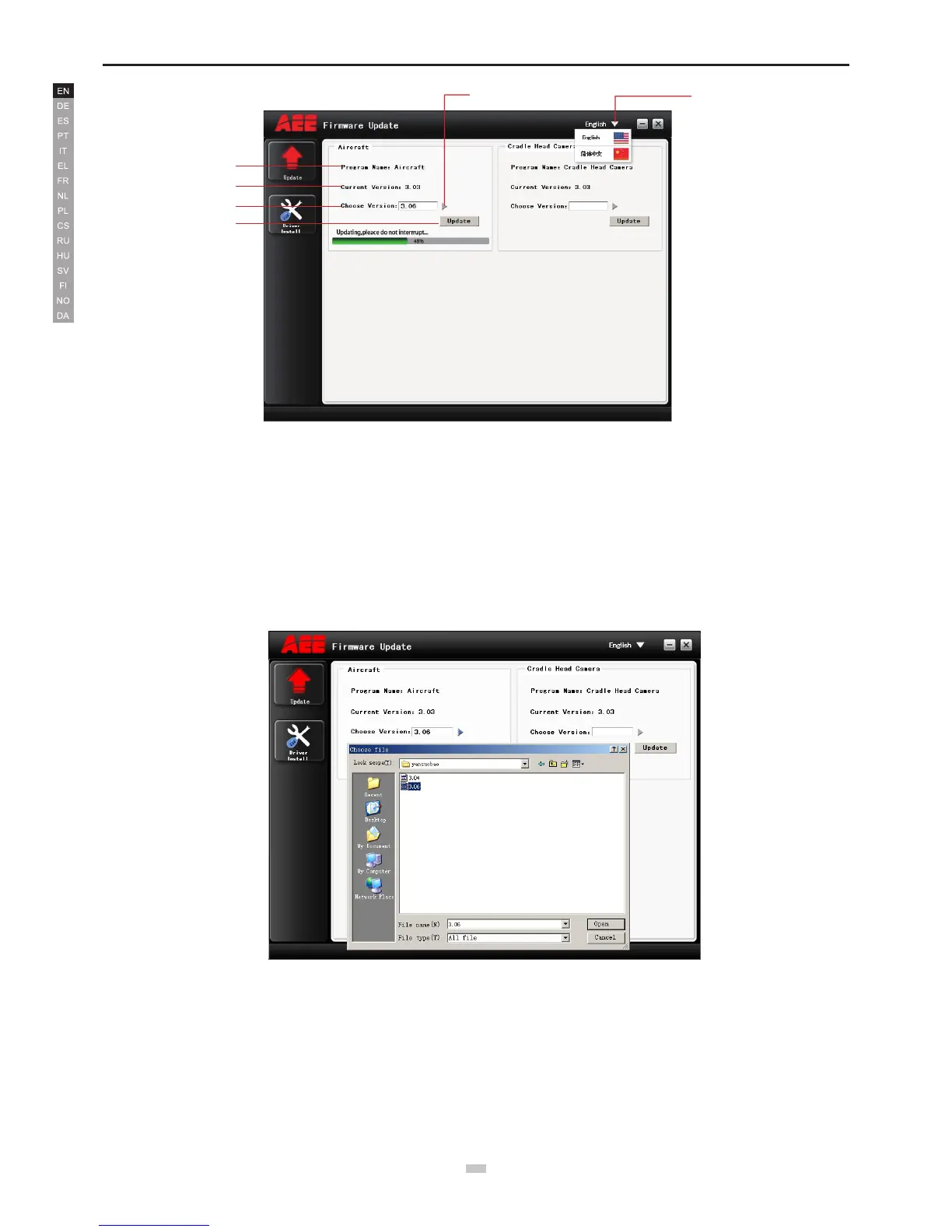
The interface of the software upgrade interface on PC is very simple. It is mainly divided into two areas: main control program burning area, PTZ program burning
area.
4.Upgrade Steps
1) Open the software.
2)Connect the device (e.g., Quadcopter) to the PC via the data cable; now the information of the connected PC serial port will be displayed.
Remark: After the device is connected, the device will enter the upgrade status.
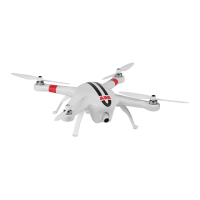
3)Click the “Browse le to be burnt” button to select the le to be burnt; then click “Upgrade”. Now the software starts auto upgrade and shows the upgrade
progress bar.
4) After the le is updated successfully, please wait for a moment. The software will display a prompt indicating successful upgrade and remind the user to restart
the device. Now the whole upgrade process is completed.


 To Next Page