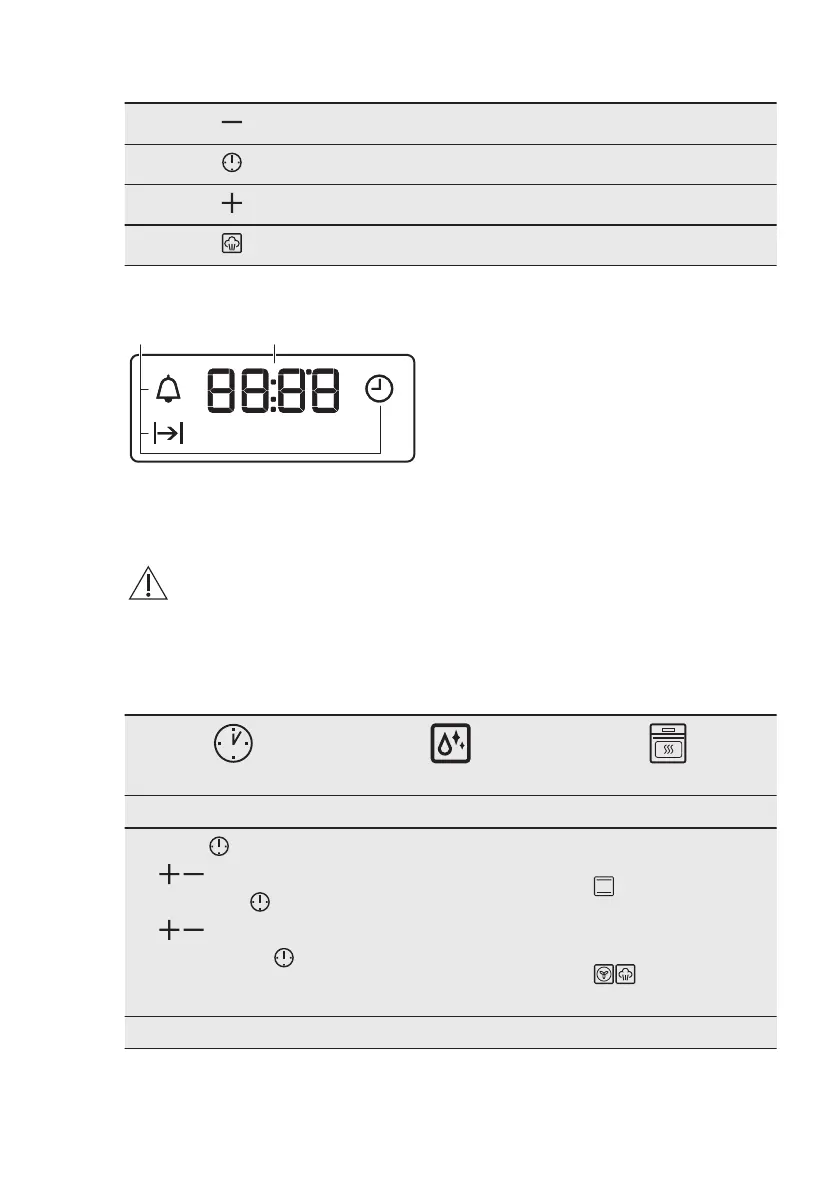
4.2 Sensor fields / Buttons
To set the time.
To set a clock function.
To set the time.
To turn the True Fan Cooking PLUS function on and off.
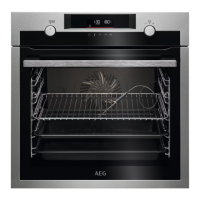
4.3 Display
A. Clock functions
B. Timer
5. BEFORE FIRST USE
WARNING!
Refer to Safety chapters.
5.1 Before first use
The oven can emit an odour and smoke during preheating. Make sure that the room is
ventilated.
Step 1 Step 2
Step 3
Set the clock Clean the oven Preheat the empty oven
1. Press: .
2. , - press to set the
hour. Press:
.
3. , - press to set the
minutes. Press:
.
1.
2. Clean the oven and the
accessories with a soft
cloth, warm water and a
mild detergent.
1. Set the maximum tem‐
perature for the function:
.
Time: 1 h.
2. Set the maximum tem‐
perature for the function:
.
Time: 15 min.
www.aeg.com8


 To Next Page