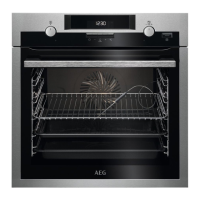
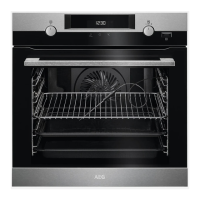
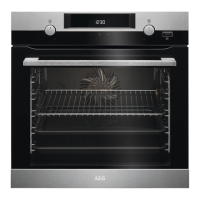
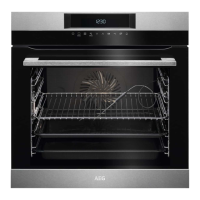
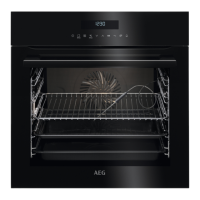
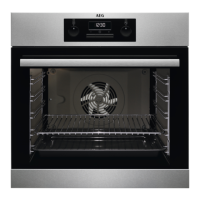
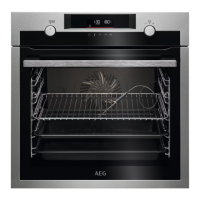
This document is a user manual for AEG ovens, specifically models BCP6000M, BCP6020M, and BCP6040M. It provides comprehensive information on safety, installation, product description, control panel operation, daily use, clock functions, accessory usage, additional functions, hints and tips, care and cleaning, troubleshooting, energy efficiency, menu structure, and environmental concerns.
Function Description
The AEG oven is designed for cooking purposes in a single household domestic indoor environment. It offers various heating functions to cater to different cooking needs, including:
- True Fan Cooking: For baking on up to three shelf positions simultaneously and drying food. Recommended temperature is 20-40°C lower than Conventional Cooking.
- Conventional Cooking: For baking and roasting food on a single shelf position.
- Frozen Foods: To make convenience food crispy, such as french fries, potato wedges, or spring rolls.
- Pizza Function: To bake pizza, achieve intensive browning, and a crispy bottom.
- Bottom Heat: To bake cakes with a crispy bottom and preserve food.
- Defrost: To defrost food like vegetables and fruit, with defrosting time depending on the amount and size of the frozen food.
- Moist Fan Baking: An energy-saving function that uses residual heat, potentially leading to temperature differences from the set temperature.
- Grill: For grilling thin pieces of food and toasting bread.
- Turbo Grilling: For roasting large meat joints or poultry with bones on one shelf position, making gratins, and browning.
- Assisted Cooking: A menu-driven function with recommended heating functions and temperatures for various dishes, allowing for quick preparation with default settings and adjustments during cooking.
The oven also includes clock functions such as Minute Minder, Cooking Time, Time Delay, and Uptimer. Additional functions include a Lock feature to prevent accidental changes to appliance settings and an Automatic Switch-off for safety.
Important Technical Specifications
The manual provides installation dimensions and electrical connection details:
- Cabinet width: 560 mm
- Cabinet depth: 550 mm
- Height of the front of the appliance: 594 mm
- Height of the back of the appliance: 576 mm
- Width of the front of the appliance: 595 mm
- Width of the back of the appliance: 559 mm
- Depth of the appliance: 569 mm
- Built-in depth of the appliance: 548 mm
- Depth with open door: 1022 mm
- Ventilation opening minimum size (bottom rear side): 560x20 mm
- Mains supply cable length: 1500 mm (located in the right corner of the back side)
- Mounting screws: 4x25 mm
- Cabinet minimum height (under worktop): 590 (600) mm
Electrical connection requires a qualified electrician, with the appliance needing to be earthed. Cable types applicable for Europe include H07 RN-F, H05 RN-F, H05 RRF, H05VV-F, H05 V2V2-F (T90), H05 BB-F. The section of the cable depends on the total power:
- Maximum 1380 W: 3x0.75 mm²
- Maximum 2300 W: 3x1 mm²
- Maximum 3680 W: 3x1.5 mm²
The earth cord (green/yellow) must be 2 cm longer than the brown phase and blue neutral cables.
Energy Efficiency Information (according to EU Ecodesign and Energy Labelling Regulations):
- Energy Efficiency Index: 81.2
- Energy efficiency class: A+
- Energy consumption (conventional mode): 0.93 kWh/cycle
- Energy consumption (fan-forced mode): 0.69 kWh/cycle
- Number of cavities: 1
- Heat source: Electricity
- Volume: 72 L
- Type of oven: Built-In Oven
- Mass: 31.5 kg (for all models BCP6000M, BCP6020M, BCP6040M)
The internal lighting contains a light source of energy efficiency class G.
Usage Features
The oven features a control panel with a knob for heating functions, a display, a control knob for settings, heating elements, a lamp, a fan, removable shelf supports, and multiple shelf positions.
- Display: Shows basic indicators, timer indicators (Minute Minder, End Time, Time Delay, Uptimer), and a progress bar for temperature or time.
- Accessories: Includes a wire shelf (for cookware, cake tins, roasts), a baking tray (for cakes and biscuits), and a grill-/roasting pan (to bake and roast or collect fat). Accessories are inserted between guide bars, with the wire shelf's feet pointing down.
- Fast Heat Up: Available for some oven functions, activated by pressing and holding the corresponding button.
- Cooling Fan: Automatically turns on during operation to keep surfaces cool and may continue after the appliance is turned off until it cools down.
- Lock Function: Can be activated when the appliance is on (cooking continues, control panel locked) or off (cannot be turned on, control panel locked).
- Automatic Switch-off: For safety, the appliance turns off automatically after a certain period if no settings are changed while a heating function is active. This feature does not work with Light or Time Delay functions.
Maintenance Features
The manual provides detailed instructions for care and cleaning:
- General Cleaning: Clean the front of the appliance with a moist soft cloth and neutral detergents. Use cleaning solutions for metal surfaces. Clean the cavity after each use to prevent fat accumulation. Clean all accessories after each use; do not use abrasive cleaners or sharp objects on non-stick accessories.
- Shelf Supports Removal: To clean the oven, shelf supports can be removed by pulling the front away from the side wall, then the rear end. Installation is in the opposite sequence.
- Pyrolytic Cleaning: A high-temperature self-cleaning function. Before starting, remove all accessories and excess food residues. Ensure good ventilation during and after cleaning. Do not spill water on the oven door during or after pyrolytic cleaning. Keep children and pets away. The oven door locks during this process.
- Cleaning Reminder: The oven reminds users to clean with pyrolytic cleaning after each cooking session. This reminder can be turned off in the settings menu.
- Door Removal and Glass Panel Cleaning: The oven door has three glass panels that can be removed for cleaning. The door is heavy, so caution is advised. The glass panels should be cleaned with water and soap and dried carefully; they are not dishwasher safe. Panels must be reinstalled in the correct sequence.
- Lamp Replacement: The lamp is a 300°C heat-resistant halogen lamp. Before replacement, turn off the oven, wait for it to cool, disconnect from mains, and place a cloth on the cavity bottom. Hold the lamp with a cloth to prevent grease residue.

 Need help?

 To Next Page
 General