English
56
Maintenance and Cleaning
CAUTION:
Neverimmersetheunitinwater!
• Therearenopartsinsidethedevicewhichcanbemaintainedbytheuser.
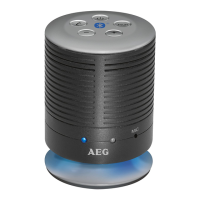
• Cleanthespeakerwithaslightlydampclothwithoutcleaningagent.
Troubleshooting
Symptoms Possible cause Solution
Cannot switch the
speaker on
Battery empty Charge the battery (
Page 52)
No audio signal during
playbackthroughAUX
Volumeoftheexternalaudio
source is too low.
Increasethevolumeoftheexternal
audio source.
Volume of the device too
low.
Increase the volume with the
button (3).
No audio signal during
Bluetooth connection
Speaker is switched off Switch the speaker on.
Speaker is not paired to the
audio source.
Check whether the connection
exists.Ifnecessary,pairthespeaker
to the audio source again.
Audiocableisconnected. Removethecable.
Volume too low Increase the volume on the
speaker
Increase the volume on the audio
source.
Cannot connect
speaker
Pairing does not work Check, whether the audio source
supportstheA2DPprotocol.
Audiosourceisturnedoff Turn the audio source on
Bluetooth is turned off on
the audio source.
Turn the Bluetooth function on in
the audio source.
Bluetooth version is not
supported.
Use another playback unit.


 To Next Page