English
27
2. Chose the Bluetooth menu in your player and register
the device in your player. For this, refer to the opera-
tionmanualofyourplayer.Thedevice“BSS4812”
will show in your player as a selection.
NOTE:
Only one playback unit can be connected to the
speaker. If the speaker is already connected to
another playback unit, the speaker will not appear
in the BT selection menu.
3. Nowenterthepassword“0000”inyourplayer,
depending on the device manufacturers, model, and
software version.
A signal will sound after successful pairing.
For the further procedure, please refer to the user manual
of the playback unit. If possible, adjust the volume of the
externalunittoacomfortablelevel.
NOTE:
• Dependingonthedevicemanufacturer,youneedto
perform the registration (PAIRING) again to connect the
devices
• TheBluetoothcompatibilitycannotbeensuredfor
devices (e.g. mobile phones) getting released in the
future.
• Toensureanoptimalconnection,makesurethatthe
battery of your player is completely charged.
• Someofthemobilephonebrandshaveanenergy-sav-
ing mode. Deactivate the energy-saving mode as it can
otherwise result in problems during the data transfer
through Bluetooth.
• Tobeabletotransferaudiodata,Bluetoothneedsto
stay activated in your player. Observe the operation
manual of your player.
• Ifamobilephoneonwhichyouareplayingmusic
receives a call, the music will be interrupted. The sound
however is not played back via the speaker. After you
have ended the call, the devices are connected to
each other again and playback continues. The volume
increases slowly.
• TheAVRCPprole(Audio Video Remote Control
Profile) is not supported by this device!
USB connection
The USB port is only suitable for connecting a PC or a laptop.
When connecting such a device, please follow the on-screen
instructions.
NOTE:
• TheUSBportoftheBSS4812doesnotsupportex-
ternal hard drives or USB storage devices such as USB
sticks.
• ConnectsuchdevicestoyourPCrstandthentransfer
the data to your BSS 4812.
Cleaning
• Beforecleaningdisconnectfrommainspowersupply.
• Cleanthedevicewithasoftdampclothwithoutdeter-
gents.
• Donotsubmergethedeviceinwater.
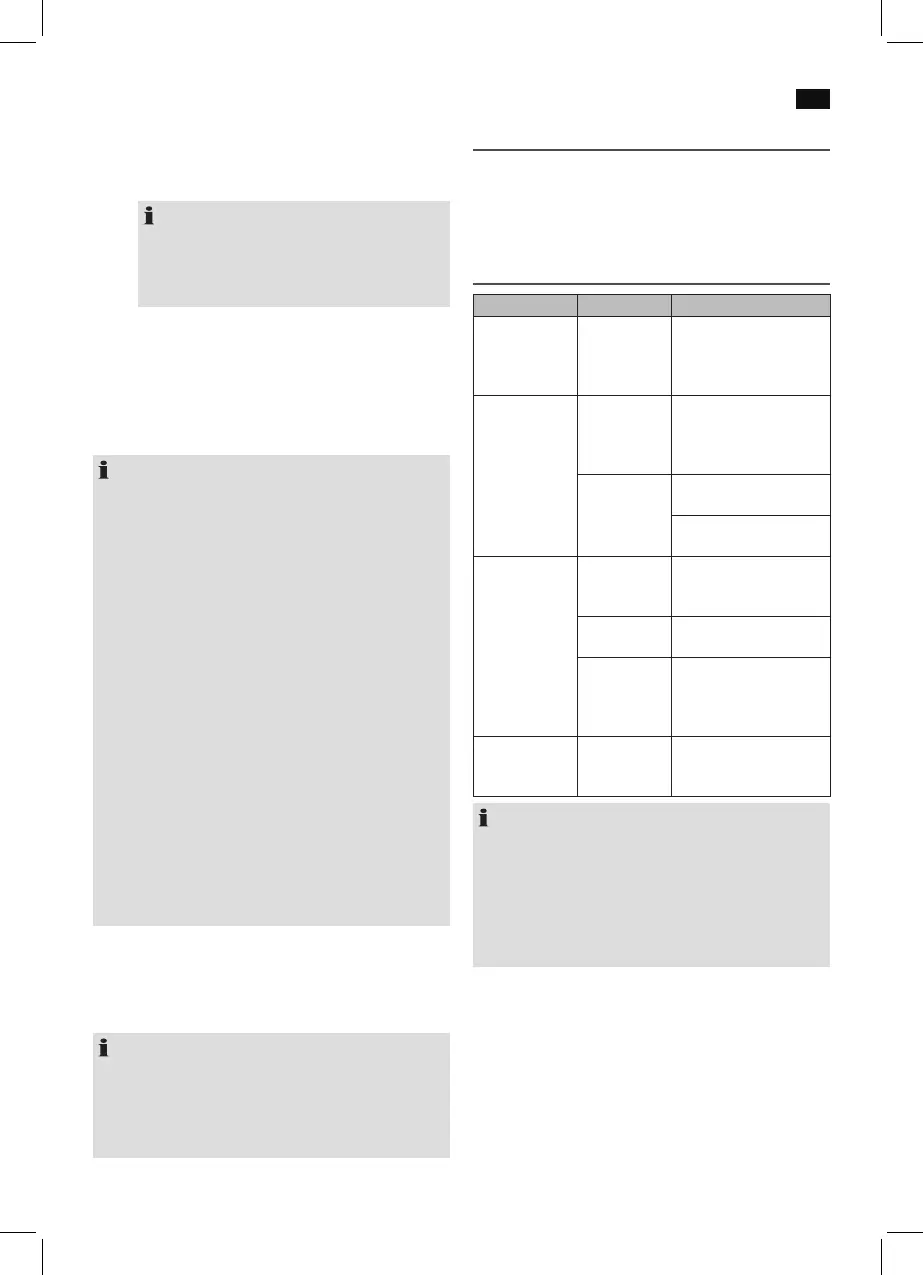
Troubleshooting
Fault Cause Solution
Unit cannot be
operated.
Unit crashes
and“hangs”.
Disconnect from the
mains for around 5 sec-
onds. Then switch the unit
on again.
No audio signal
via the Bluetooth
connection
Speaker is not
paired to the
audio source.
Check whether a connec-
tionexists.Ifnecessary,
pair the speaker again to
the audio source.
Volume too
low
Increase the volume on
the speaker
Increase the volume on
the audio source.
Speaker cannot
be connected
Pairing does
not work
Check whether the audio
source supports the A2DP
protocol.
Audio source
is switched off
Switch on the audio
source
Bluetooth is
switched off
at the audio
source.
Switch on the Bluetooth
function in the audio
source.
Bluetooth
version is not
supported.
Use a different playback
unit.
NOTE: Automatic standby
After a certain time without signal input, the appliance will
switch into standby mode automatically. This is in compli-
ancewiththe“ErP2(Energy-related Products)”Ecodesign
Directive (2009/125/EG), which aims at improving energy
efficiency and overall environmental compatibility of elec-
tronic devices. In order to use your appliance again, press
the VOLUME/INPUT control.


 To Next Page
 Loading...