English
52
NOTE:
• Toensureanoptimalconnection,makesurethatthebatteryofyourplayeriscom-
pletely charged.
• Someofthemobilephonebrandshaveanenergy-savingmode.Deactivatethe
energy-saving mode as it can otherwise result in problems during the data transfer
through Bluetooth.
• Tobeabletotransferaudiodata,Bluetoothneedstostayactivatedinyourplayer.
Observe the operation manual of your player.
• Ifamobilephoneonwhichyouareplayingmusicreceivesacall,themusicwillbe
interrupted. The sound however is not played back via the speaker.
Operation
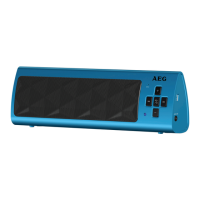
The device is equipped with multi functional buttons. For different functions press the
respectivebuttonbrieyorpressandhold.
On/Off (3)
• Turnontheloudspeakerbypressingthe
/ button for 3 seconds.
NOTE : Automatic connection
If supported by your player (e.g. mobile phone), the devices will be connected auto-
matically. The prerequisite for this is:
• Thedeviceswerealreadyconnectedwitheachother.
• Bluetoothisactivatedinyourplayer.
• Keepthe
/ button pressed for approx. 3 seconds to turn off the loudspeaker
again. The units are disconnected.
NOTE:
To save the battery, switch off the speaker when not in use.
Pause (3)
• Brieypressthebuttontopauseplayback.
• Pressthebuttonagaintocontinueplayback.
NOTE:
Depending on the device manufacturers, models, and software versions you need to
start the music playback in your player.


 To Next Page