EasyManua.ls Logo

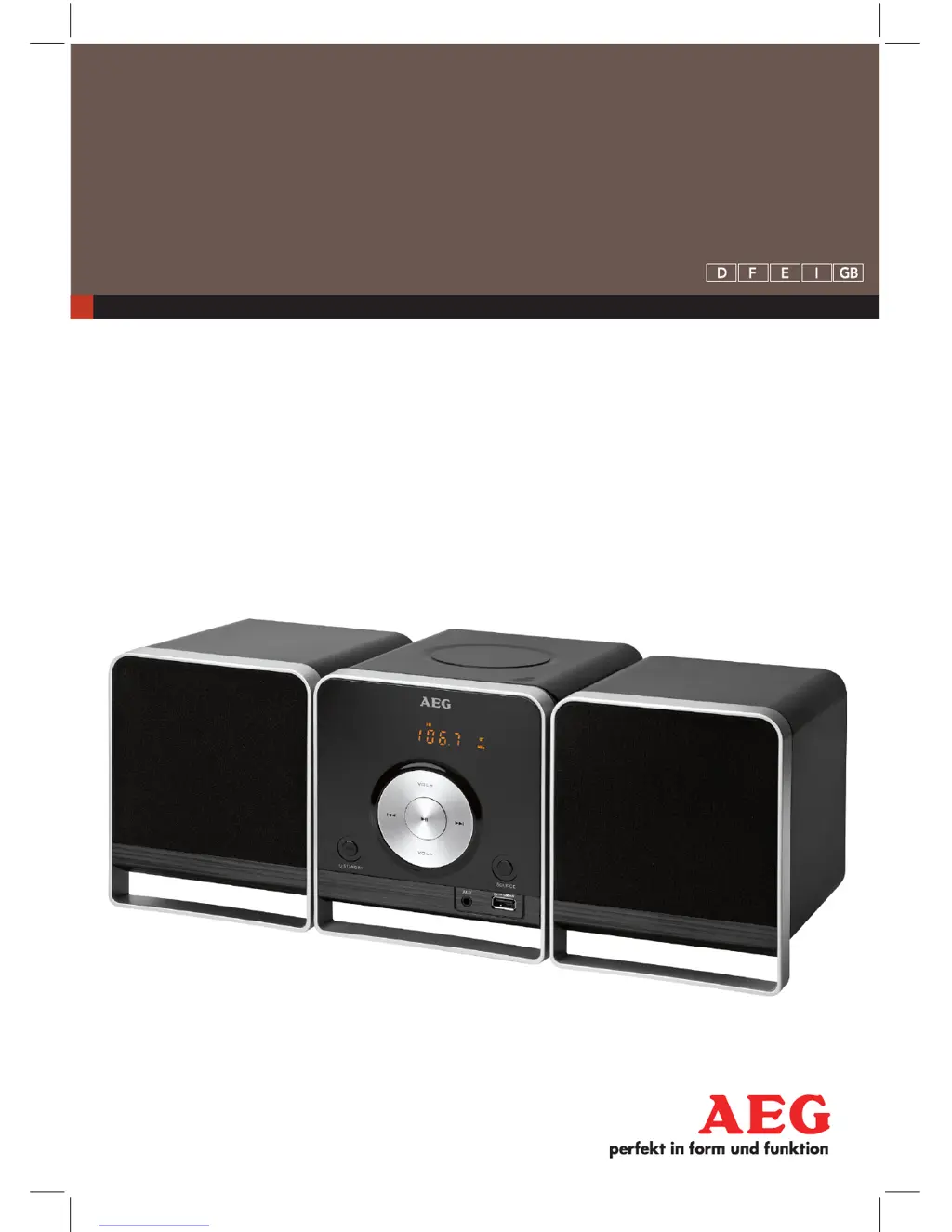
AEG MC 4459 BT - User Manual

AEG MC 4459 BT
42 pages
Go to English
Print Icon
To Next Page IconTo Next Page
Loading...
BLUETOOTH
MUSIK CENTER
MC 4459 BT
Bedienungsanleitung/Garantie 04
Mode d’emploi 12
Instrucciones de servicio 19
Istruzioni per l’uso 26
Instruction Manual 33
D Bluetooth Musik Center
F Chaîne stéréo Bluetooth
E Centro de música bluetooth
I Centro musica Bluetooth
GB Bluetooth Music Center

Questions and Answers

  • J
    Juan LaneAug 10, 2025
    Why Bluetooth connection cannot be established on my AEG Stereo System?
    • D
      Dawn NavarroAug 10, 2025
      If you're experiencing issues establishing a Bluetooth connection with your AEG Stereo System, ensure the device is in PAIRING mode by pressing the button for about 4 seconds and then attempt to reconnect. Also, verify that the audio source is turned on, that Bluetooth is enabled on the audio source, and that the audio source supports the A2DP protocol. If the Bluetooth version is not supported, try using a different playback device.
  • E
    Erin BarberAug 16, 2025
    What to do if there is no audio signal during Bluetooth connection with my AEG MC 4459 BT Stereo System?
    • N
      Nichole WatsonAug 16, 2025
      If you're not getting any sound during a Bluetooth connection with your AEG Stereo System, first ensure that the device is properly registered with the audio source; if not, re-register it. Then, check the volume levels both on the device and on the audio source, and increase them if they are too low.
  • L
    Louis MurilloAug 22, 2025
    How to fix the issue when my AEG MC 4459 BT Stereo System cannot be operated?
    • F
      floresanthonyAug 22, 2025
      If your AEG Stereo System is unresponsive or “stuck,” remove the mains plug for approximately 5 seconds, and then turn the device on again. If this doesn't work, you can try restoring the device to its factory settings.
  • A
    Andrew SullivanAug 28, 2025
    What to do if CD jumps during playback on AEG MC 4459 BT Stereo System?
    • J
      Joseph LopezAug 28, 2025
      If your AEG Stereo System's CD playback skips, check the disc for fingerprints, dirt, or scratches.
  • A
    Andrew ByrdSep 3, 2025
    How to fix if CD can not be played back on AEG MC 4459 BT Stereo System?
    • H
      Heather GonzalesSep 3, 2025
      If your AEG Stereo System isn't playing CDs, make sure the disc is inserted correctly with the label facing upwards.

Summary

General Safety Instructions and Warnings

General Safety Guidelines

Essential safety guidelines for operating the appliance and preventing hazards.

General Operation and Features

Basic Controls and Volume

Instructions for turning the unit on/off, adjusting volume, and using the mute function.

Radio Operations

Guide to finding, saving, and recalling radio stations.

Bluetooth Music Playback

Steps for connecting and playing music wirelessly via Bluetooth.

Playing CDs and MP3 s

How to Play a CD

Instructions for inserting, playing, and removing audio CDs and MP3s.

Connecting and Playing External Devices

Troubleshooting and Maintenance

AEG MC 4459 BT Specifications

General IconGeneral
BrandAEG
ModelMC 4459 BT
CategoryStereo System
ClockYes
BluetoothYes
USB chargingYes
CD PlayerYes
USB PortYes
FM RadioYes
Power Output2 x 5W

Related product manuals