English
53
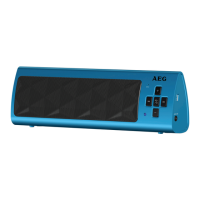
Adjust Volume (2/6)
Press the VOL+ (2) and VOL- (6) buttons to adjust the desired volume step by step.
the
(4)buttonpressedtoselectthenexttrack.
• Keepthe (1) button pressed to select the previous track.
NOTE:
Your mobile phone must support this function.
Accepting / Ending call
• Pressthe
/ (3), to accept an incoming call.
• Toendthecall,pressthebuttonagain.
NOTE:
• Duringanincomingphonecall,themusicplaybackwillstop.Afterendingthephone
call, the track will continue to play.
• Yourmobilephonemustsupportthisfunction.
Maintenance and Cleaning
CAUTION: Neverimmersetheunitinwater!
• Therearenopartsinsidethedevicewhichcanbemaintainedbytheuser.
• Cleanthespeakerwithaslightlydampclothwithoutcleaningagent.
NOTE:
• Increasethevolumeonyourplayer.
• Thevolumeontheplaybackunitmustnotbesettoolow,otherwisestaticmayoccur.
• Musiccanstillbeheardonthelowestpossiblevolumesettingontheunit.Thisisnot
a fault on the unit.
Select Music (1/4)
• Keep


 To Next Page