English
51
Cordless via Bluetooth
NOTE:
WhenanaudiocableisconnectedtotheAUXINjack(2),aconnectioncannotbeestab-
lished via Bluetooth.
Bluetooth involves a technology for wireless radio connection of devices over a short dis-
tance. Devices with Bluetooth standard are transmitting between 2.402 and 2.480 GHz in
the ISM band (Industrial, Scientific and Medical). Interferences can however be caused by
WLANs,networks,wirelesstelephones,ormicrowaveovens,forexample,whichoperatein
the same frequency band.
This device offers you the possibility to use a Bluetooth-enabled device. The functional
radiusislimitedtoapprox.15metresdependingonthesurroundingsandtheunitused.
IfyourplayingdevicesupportstheA2DPprole(Advanced Audio Distribution Profile) and
has a music-player function, then you can also wirelessly transfer music to the device. The
A2DPproleinvolvesamultivendorBluetoothprole.Bystreaming,stereo-audiosignals
are wirelessly transferred between the playing device (source) and the receiving device. To
beabletooperatethesourcebyremotecontrol,theplayerneedstosupporttheAVRCP
profile (Audio Video Remote Control Profile).
Due to the different device manufacturers, models, and software versions, a full functional-
ity cannot be guaranteed.
• Logging on devices (Pairing)
Before you listen to music via the unit, you must pair the devices.
1. Ensure, that the Bluetooth function is activated in your player (e.g. mobile phone).
For this, refer to the operation manual of your player.
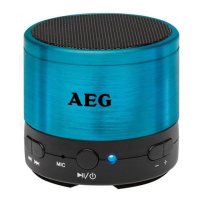
2. Switch the speaker on by pressing the
/ button(6)forapprox.3seconds.The
indicatorlight(7)ashesslowly.Thesystemisnowin“AutomaticConnection”
mode. To connect a new playback unit to the speaker, wait a few seconds. The
indicatorlight(7)willstarttoashrapidlyafterashorttime.Thedeviceisnowset
to the pairing mode.
3. Choose the Bluetooth menu in your player and register the device in your player.
Forthis,refertotheoperationmanualofyourplayer.Thedevice“BSS4826”will
show in your player as a selection.
4. Nowenterthepassword“0000”inyourplayer,dependingonthedevicemanufac-
turers, model, and software version.
Aftersuccessfulregistration,thecontrollight(7)willbelit.


 To Next Page