English
33
1. Connect a USB storage device directly into the port.
2. Select the USB port with the FUNC./LIGHT/ button
(- 1 - or - 2 -). Playback will automatically start after a few
seconds.
For operation, please refer to the section “Description of the
controls”.
NOTE:
• Alwaysdirectly connect a USB storage medium to the
USB port to prevent any malfunctions.
• TheUSBportisnotdesignedforchargingexternal
devices.
• Please note: The USB port is only intended for playing
music from USB sticks. It only provides a low power
(100 mA) power supply. This USB port is not suitable
forusingexternal2.5”harddriveswithstart-upcurrents
of up to 1100 mA. In order to play music from your
smartphone, iPod, or iPhone, connect the designated
AUX IN socket.
CAUTION:
Switch the device to a different operating mode before you
remove the USB storage device.
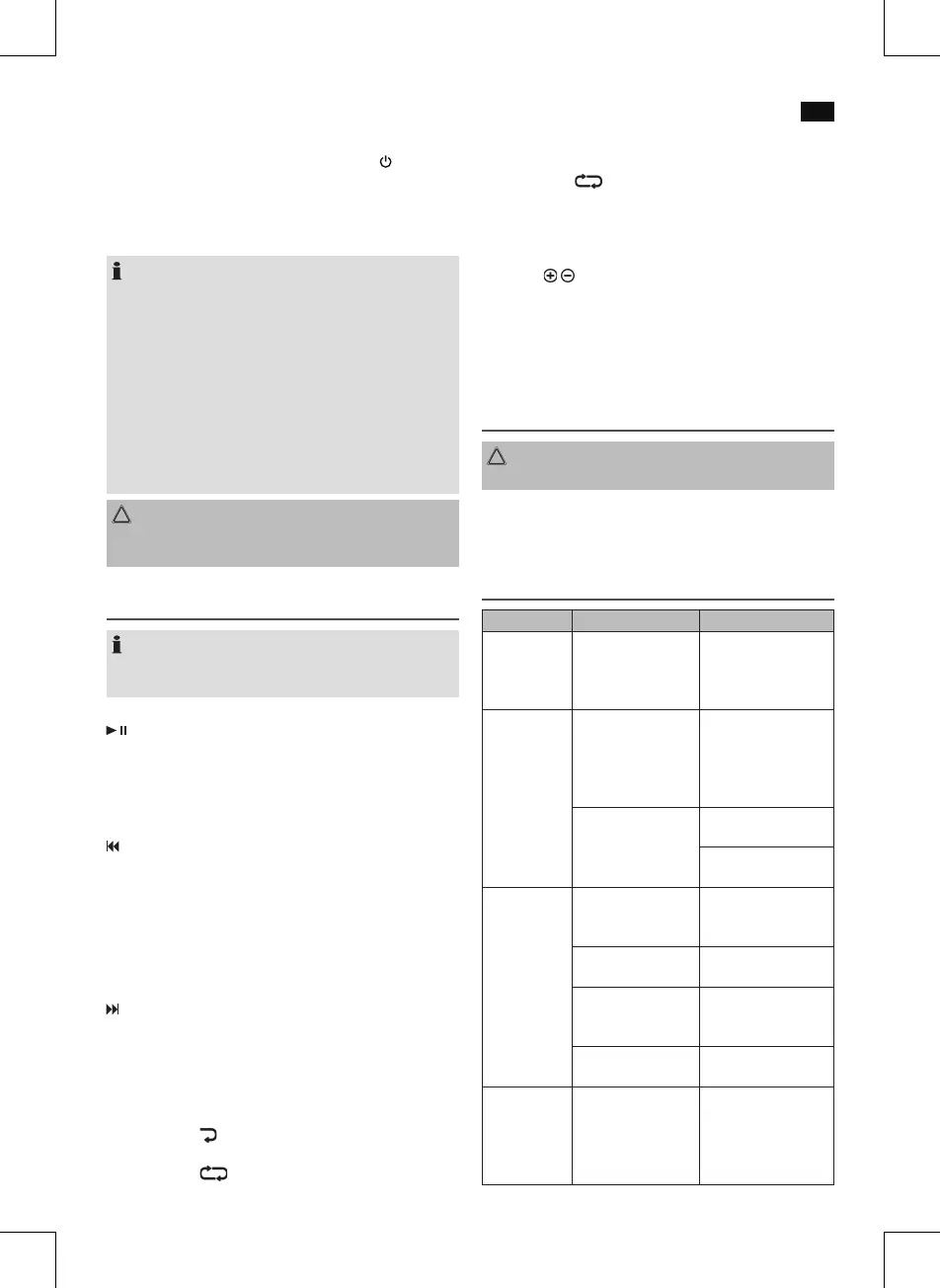
Description of the controls
NOTE:
Depending on your playback unit, not all functions might
be supported.
/PAIR (13)
• Youcanpauseandcontinuemusicplayback.Pressagain
to continue playback.
• HoldthebuttondepressedinBluetoothmodetodiscon-
nect
anexistingBluetoothconnection.
(12)
Press1x= Restartofthesongfromthebeginning.
(Not during USB-mode)
Press2x= Skiptotheprevioussong.
Press3x= Skiptothesongbeforetheprevioussong.
When you hold down the button in USB mode, a music
search is started.
(14)
Presstoskiptothenextsongandthefollowingsongs.
When you hold down the button in USB mode, a music
search is started.
P-MODE (11) (only during USB operation)
Press1x= “
“ appears in the display. The current song
will be played repeatedly.
Press2x= “ FOLDER” appears in the display. The
selected folder will be played repeatedly.
Press3x= “RAND”appearsinthedisplay.Allsongswill
be played in random order.
Press4x= “ “ appears in the display. All songs will
be played repeatedly.
Press5x= Allfunctionsaredeactivatedandthedevice
continues normal playback.
FOLD./10 / buttons (16/17) (only during USB operation)
• Pressoneofthebuttonstoskip10songsforwardor
backwards respectively, provided there are more than
10 songs available.
• Press
andholdoneofthebuttonstojumptotheprevious
ornextfolder.Playbackstartsfromtheselectedfolder.
Cleaning
CAUTION:
Do not submerge the device in water.
• Beforecleaningdisconnectfrommainspowersupply.
• Cleanthedevicewithasoftdampclothwithoutdeter-
gents.
Troubleshooting
Fault Cause Solution
Unit cannot
be operated.
Unit crashes and
“hangs”.
Disconnect from the
mains for around
5 seconds. Then switch
the unit on again.
No audio
signal via the
Bluetooth
connection.
Speaker is not pair
ed
to the audio source.
Check whether a
connectionexists.If
necessary, pair the
speaker again to the
audio source.
Volume too low. Increase the volume
on the speaker.
Increase the volume
on the audio source.
Speaker
cannot be
connected.
Pairing does not
work.
Check whether the
audio source supports
the A2DP protocol.
Audio source is
switched off.
Switch on the audio
source.
Bluetooth is switched
off at the audio
source.
Switch on the Blue
-
tooth function in the
audio source.
Bluetooth version is
not supported.
Use a differ
ent play-
back unit.
Sharp
whistling
sound during
microphone
operation.
Audio feed
back. Use the microphone
outside of the speak-
er’s reverberation
distance.


 To Next Page
 Loading...