The water softener
The water softener removes minerals
from the water supply, which would have
a detrimental effect on the washing
results and on the appliance.
The higher the content of these minerals,
the harder your water is. Water hardness
is measured in equivalent scales.
The water softener should be adjusted
according to the hardness of the water in
your area. Your local water authority can
advise you on the hardness of the water
in your area. It is important to set the
right level of the water softener to assure
good washing results.
To change the water softener setting:
1. Open the door
2. Press and hold Programme for 5
seconds . Current water softener
level appears.
3. Press Programme to set the
necessary water softener level
4. Do not change the setting for 5
seconds to confirm the choice.
Water hardness
Water hardness Water softener level
German degrees (°dH) International unit
(mmol/l)
0 - 5 0.0 - 0.9 H1
6 - 11 1.0 - 2.0 H2
12 - 17 2.1 - 3.0 H3
18 - 22 3.1 - 4.0 H4
23 - 34 4.1 - 6.1 H5
35 - 45 6.2 - 8.0
H6
1)
1)
Factory setting.
If you use standard detergent, set a
proper water hardness level to keep
the salt refill indicator active.
6.3 Use of detergent
CAUTION!
Use only detergents for
dishwashers.
To help the environment, do
not use more than the
recommended quantity of
detergent given by the
detergent manufacturer.
Refill the detergent
dispenser before each wash
cycle.
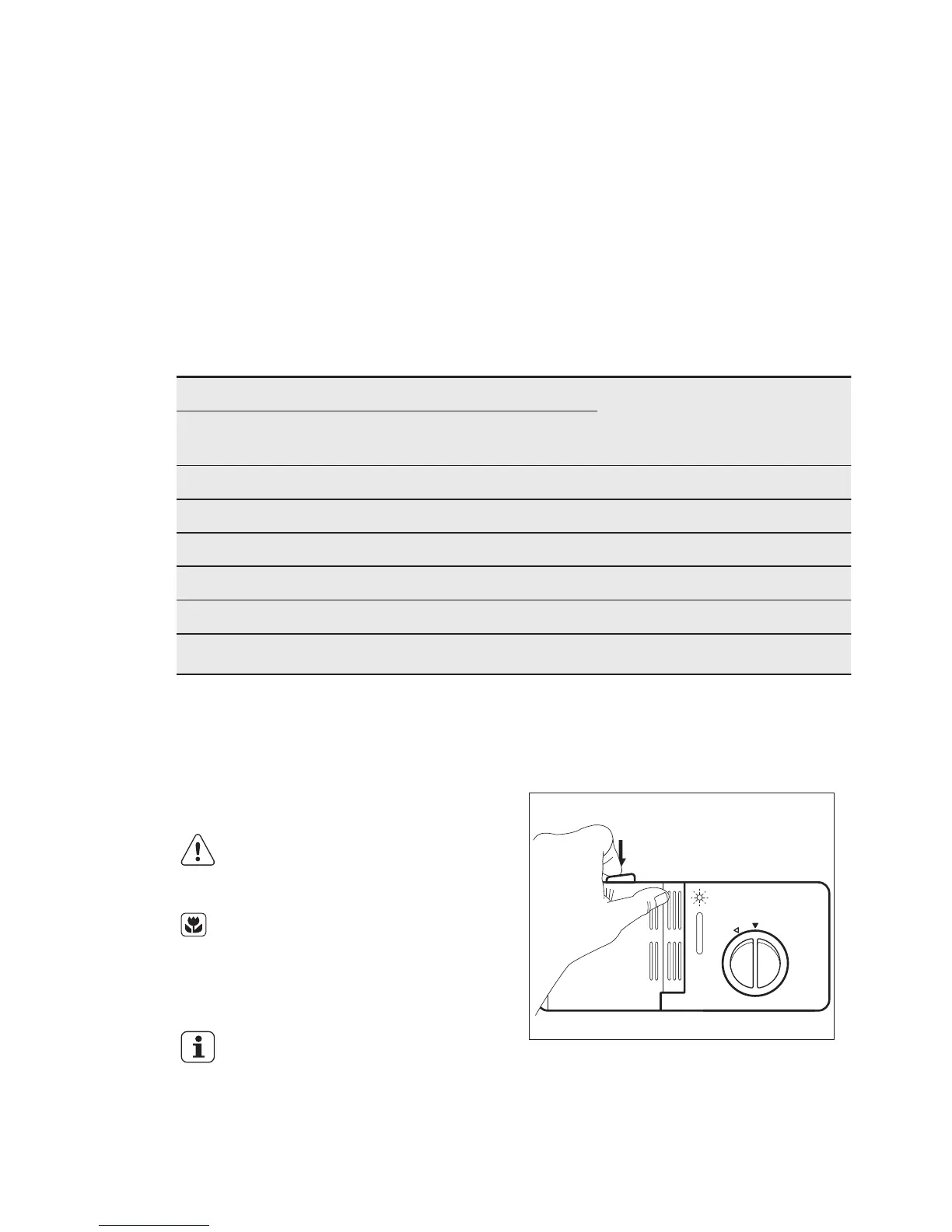
Filling the detergent dispenser
1. Press the release button to open the
lid of the detergent dispenser.
2. Put the detergent (approximately 15
g) in the compartment (C). The
compartment has 2 parts (D) and (E)
that refer to different quantities of
detergent (15 g and 25 g). Put
ENGLISH
9



 To Next Page