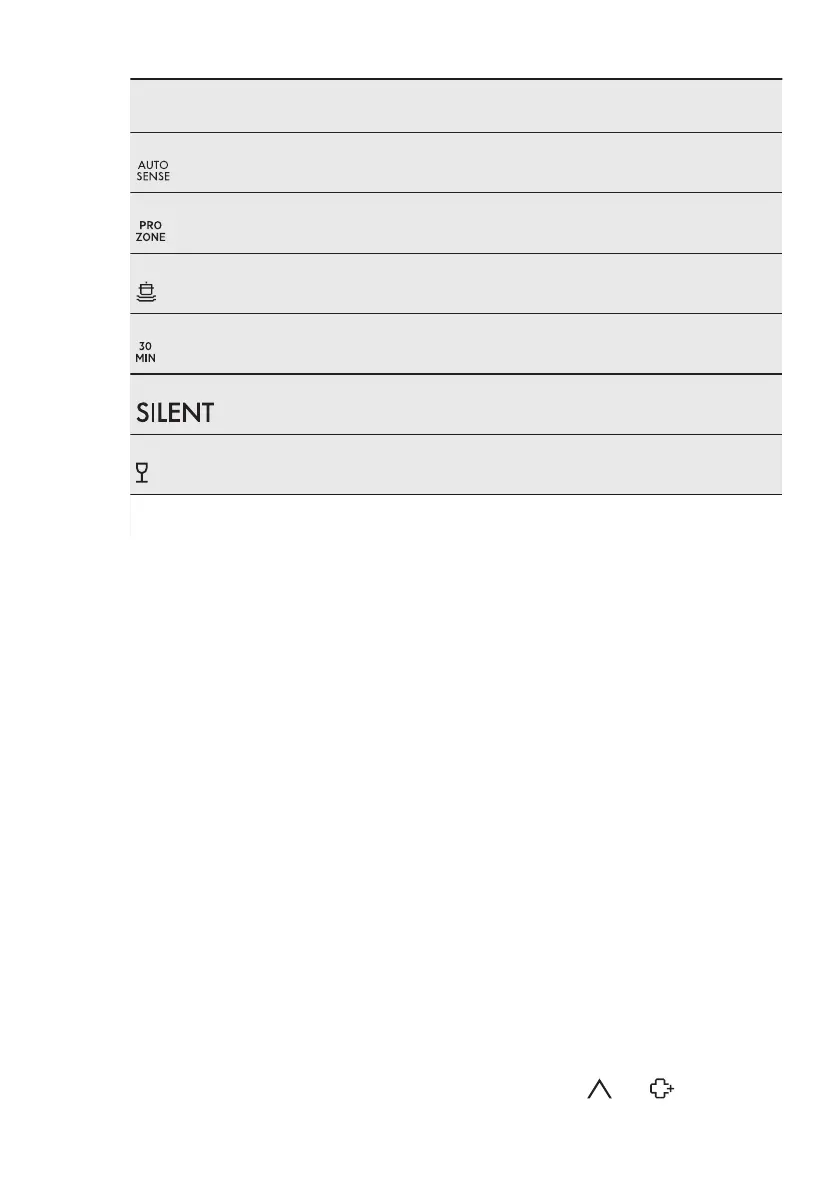
Programme
1)
Water
(l)
Energy
(kWh)
Duration
(min)
P2 6 - 12 0.5 - 1.2 40 - 150
P3 11 - 13 1.0 - 1.2 130 - 150
P4 11 - 13 1.0 - 1.2 130 - 150
P6 8 0.6 - 0.8 30
P7 9 - 11 0.9 - 1.1 220 - 230
P5 10 - 12 0.8 - 0.9 60 - 80
1)
The pressure and the temperature of the water, the variations of the mains supply, the options and the
quantity of dishes can change the values.
5.2 Information for test
institutes
For all the necessary information for test
performance, send an email to:
info.test@dishwasher-production.com
Write down the product number (PNC)
that is on the rating plate.
6. SETTINGS
6.1 Programme selection
mode and user mode
When the appliance is in programme
selection mode it is possible to set a
programme and to enter the user mode.
Settings available in the user mode:
• The level of water softener according
to the water hardness.
• Activation or deactivation of the
acoustic signal for the end of a
programme.
• Selection of the colour of the
TimeBeam.
• Activation or deactivation of the rinse
aid empty notification.
• Activation or deactivation of AirDry.
As the appliance stores the saved
settings, there is no need to configure
it before every cycle.
How to set the programme
selection mode
The appliance is in programme selection
mode when the display shows the
programme number P1.
After activation, the appliance is in
programme selection mode by default. If
not, set the programme selection mode
the following way:
Press and hold RESET until the appliance
is in programme selection mode.
How to enter user mode
Make sure the appliance is in
programme selection mode.
To enter user mode, press and hold
simultaneously
and until the
ENGLISH
9


 To Next Page