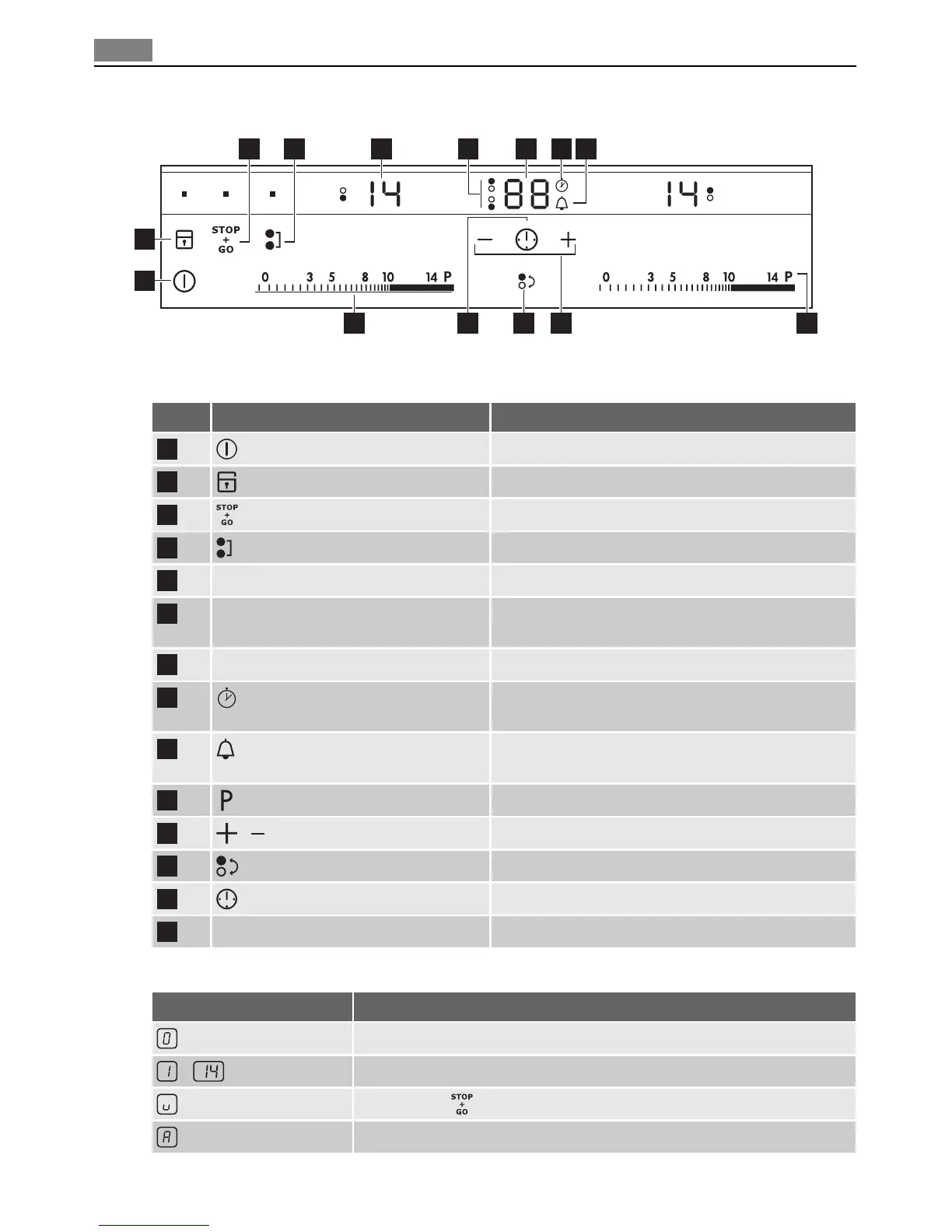
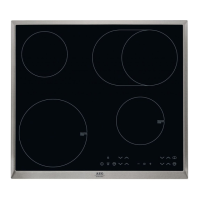
Control panel layout
7 853 4
111214 1013
2
1
96
Use the sensor fields to operate the appliance. The displays, indicators and sounds tell which
functions operate.
sensor field function
1
It activates and deactivates the appliance.
2
It locks/unlocks the control panel.
3
It activates and deactivates STOP+GO function.
4
It activates and deactivates the Bridge function.
5
A heat setting display. It shows the heat setting.
6
Cooking zones' indicators of timer. It shows for which of the cooking zones you set
the time.
7
The timer display. It shows the time in minutes.
8
It shows that the CountUp Timer function oper-
ates.
9
It shows that the Minute minder / the CountDown
Timer function operates.
10
It activates the Power function.
11
/
It increases or decreases the time.
12
It sets the cooking zone.
13
It sets the Timer function.
14
A control bar. To set the heat setting.
Heat setting displays
Display Description
The cooking zone is off
-
The cooking zone operates
Keep Warm / function is on
The automatic heat-up function is on
64 Product description



 To Next Page