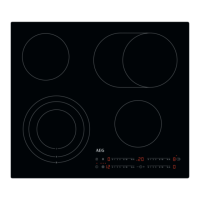
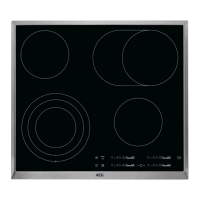
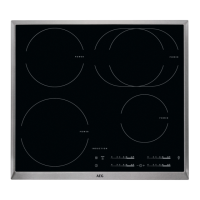
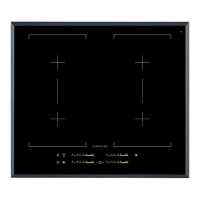
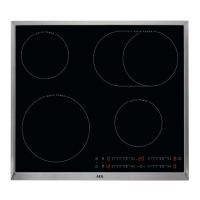
This document provides a comprehensive user manual for an AEG hob, model HK654070XB, guiding users through its functions, safety instructions, daily use, care, and maintenance.
The hob is designed for household cooking purposes and features a glass-ceramic surface with multiple cooking zones. The control panel, located at the front of the hob, uses sensor fields for operation, with displays and indicators providing feedback on active functions.
Function Description
The hob offers several key functions to enhance the cooking experience:
- Activation and Deactivation: The hob can be activated or deactivated by touching the ON/OFF sensor field for one second.
- Heat Setting: Users can set or change the heat setting by touching or sliding a finger along the control bar. Heat settings range from 0 (deactivated) to 14.
- Outer Rings: For specific cooking zones, outer rings can be activated or deactivated to adjust the cooking surface to the size of the cookware. This is done by touching a dedicated sensor field, with subsequent touches activating additional rings if available.
- Automatic Switch Off: This safety feature automatically deactivates the hob under certain conditions, such as when all cooking zones are off, no heat setting is selected after activation, an object is on the control panel for too long, or a cooking zone operates for an extended period without changes to its heat setting. The duration before automatic switch-off varies depending on the heat setting.
- Automatic Heat Up: This function allows for faster heating by initially setting the cooking zone to the highest heat setting for a short period, then automatically reducing it to the desired setting. It can only be activated when the cooking zone is cold.
- Count Down Timer: This timer allows users to set a specific operating duration (0-99 minutes) for a cooking zone. Once the time ends, an acoustic signal sounds, and "00" flashes. The timer does not affect the operation of other cooking zones.
- Count Up Timer: This function monitors how long a cooking zone has been operating, displaying the elapsed time in minutes.
- Minute Minder: When the hob is active but no cooking zones are operating, this function can be used as a standalone minute minder. It operates similarly to the Count Down Timer, sounding an alarm when the set time expires.
- STOP+GO Function: This feature sets all active cooking zones to the lowest heat setting, effectively pausing cooking. While STOP+GO is active, heat settings cannot be changed, but timer functions continue to operate.
- Lock Function: The control panel can be locked while cooking zones are active to prevent accidental changes to the heat settings. The timer remains operational when the panel is locked.
- Child Safety Device: This function prevents accidental operation of the hob, particularly by children. It is activated and deactivated through a specific sequence involving the ON/OFF and lock sensor fields.
- OffSound Control: This feature allows users to activate or deactivate the acoustic signals (sounds) of the hob. When sounds are off, they will only operate for specific events like touching the ON/OFF button, the Minute Minder ending, the Count Down Timer ending, or placing an object on the control panel.
- Öko Timer (Eco Timer): To save energy, this timer deactivates the cooking zone heater before the set count-down time ends. The energy saving varies based on the heat setting and the timer duration.
- OptiHeat Control (Residual Heat Indicator): This 3-step indicator shows the level of residual heat in a cooking zone, warning users of potential burns. The display indicates whether the zone is hot enough for continued cooking, keeping food warm, or simply has residual heat.
Usage Features
The hob is designed for intuitive use with its sensor-based control panel. The various timer functions provide flexibility for different cooking needs, from precise timing for specific dishes to simply monitoring cooking duration. The Automatic Heat Up function is particularly useful for quickly bringing pots to temperature. The STOP+GO function offers convenience for temporary interruptions during cooking, allowing users to resume without losing their settings. The safety features, such as the Lock function and Child Safety Device, ensure safe operation, especially in households with children. The OptiHeat Control is a valuable safety and energy-saving feature, guiding users on how to best utilize residual heat.
Maintenance Features
Regular cleaning is essential for maintaining the hob's appearance and functionality.
- General Cleaning: The hob should be cleaned after each use. Cookware with clean bottoms should always be used to prevent scratches. Special cleaners designed for hob surfaces and a glass scraper are recommended. Scratches or dark stains on the surface do not affect the hob's operation.
- Immediate Removal of Spills: Melted plastic, plastic foil, and food with sugar should be removed immediately using a special scraper at an acute angle to prevent damage to the hob surface.
- Cleaning When Cool: Limescale rings, water rings, fat stains, and shiny metallic discoloration should be cleaned once the hob has cooled sufficiently. A moist cloth with detergent, followed by drying with a soft cloth, is recommended.
- Safety Precautions: Before cleaning, the appliance should be deactivated and allowed to cool down. It must be disconnected from the electrical supply before any maintenance. Steam cleaners or water sprays should not be used. Abrasive products, cleaning pads, solvents, or metal objects are also to be avoided.

 Need help?
 General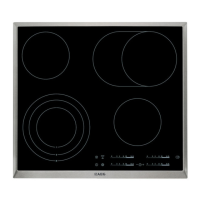

 To Next Page