5.1 Activating and deactivating
Touch for 1 second to activate or
deactivate the hob.
5.2 Automatic Switch Off
The function deactivates the hob
automatically if:
• all cooking zones are deactivated,
• you do not set the heat setting after you
activate the hob,
• you spill something or put something on
the control panel for more than 10
seconds (a pan, a cloth, etc.). An acoustic
signal sounds and the hob deactivates.
Remove the object or clean the control
panel.
• you do not deactivate a cooking zone or
change the heat setting. After some time
comes on and the hob deactivates.
The relation between the heat setting and
the time after which the hob deactivates:
Heat setting The hob deactivates
after
, 1 - 2
6 hours
3 - 4 5 hours
5 4 hours
6 - 9 1.5 hour
5.3 The heat setting
Touch to increase the heat setting. Touch
to decrease the heat setting. Touch
and at the same time to deactivate the
cooking zone.
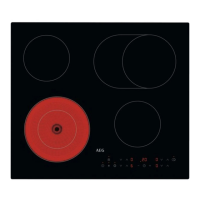
5.4 Residual heat indicator
WARNING!
As long as the indicator is visible,
there is a risk of burns from residual heat.
The indicator appears when a cooking
zone is hot.
The indicator may also appear:
• for the neighbouring cooking zones even if
you are not using them,
• when hot cookware is placed on cold
cooking zone,
• when the hob is deactivated but the
cooking zone is still hot.
The indicator disappears when the cooking
zone has cooled down.
5.5 Activating and deactivating the
outer rings
You can manually adjust the cooking surface
to the dimensions of the cookware.
Set a heat setting for the cooking zone.
Choose the symbol dedicated to the cooking
zone: .
To activate the outer ring: touch the
symbol. The indicator appears.
To deactivate the outer ring: touch the
symbol until the indicator disappears.
5.6 Automatic Heat Up
If you activate this function you can get a
necessary heat setting in a shorter time. The
function sets the highest heat setting for
some time and then decreases to the correct
heat setting.
To activate the function the cooking zone
must be cold.
To activate the function for a cooking
zone: touch
until the correct heat setting
comes on. After 3 seconds comes on.
To deactivate the function: touch .
5.7 Timer
• Count Down Timer
You can use this function to set the length of
a single cooking session.
First set the heat setting for the cooking zone,
then set the function.
To set the cooking zone: touch
repeatedly until the indicator of a cooking
zone appears.
10 ENGLISH


 To Next Page