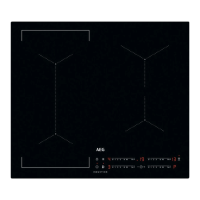
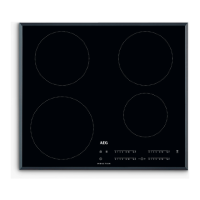
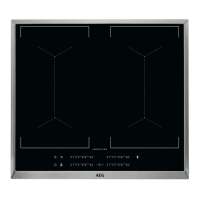
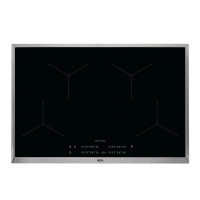
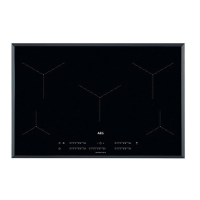
This document describes the AEG IKX84443CB induction hob, a built-in cooking appliance designed for domestic use. It features four induction cooking zones and a control panel for operation.
Function Description
The AEG IKX84443CB is an induction hob that uses an electro-magnetic field to generate heat directly in the bottom of suitable cookware. The glass ceramic surface is then heated by the cookware. The hob includes a control panel with sensor fields to activate and deactivate the appliance, select cooking zones, adjust heat settings, and manage various functions.
Key functions include:
- On/Off: Activates and deactivates the hob.
- Heat Setting: Allows users to set the desired heat level for each cooking zone using a control bar.
- Pause: Sets all operating cooking zones to the lowest heat setting, locking other control panel symbols.
- Lock / Child Safety Device: Locks the control panel to prevent accidental changes to heat settings during cooking or to prevent accidental operation of the hob when not in use.
- Bridge Function: Connects two left-side cooking zones to operate as one, suitable for larger cookware.
- Automatic Heat Up: Speeds up the heating process by operating the cooking zone at the highest heat setting initially, then automatically reducing to the desired heat setting. This function can only be activated when the cooking zone is cold.
- PowerBoost: Provides additional power to induction cooking zones for a limited period, after which the zone automatically reverts to its highest heat setting.
- Timer Functions:
- Count Down Timer: Sets a specific cooking duration (00-99 minutes) for a single cooking session. An acoustic signal sounds when the countdown ends, and the cooking zone deactivates.
- CountUp Timer: Monitors how long a cooking zone has been operating, displaying the time in minutes.
- Minute Minder: Sets a timer that operates independently of the cooking zones, sounding an acoustic signal when the set time finishes.
- Hob²Hood Function: An advanced automatic function that connects the hob to a special hood via an infrared signal. The hob automatically defines the fan speed based on the mode setting and the temperature of the hottest cookware. The fan can also be operated manually from the hob. This function can be set to various automatic modes (H1-H6) which activate the fan and/or light based on boiling or frying processes, or independently of temperature.
- Power Management: If multiple zones are active and the consumed power exceeds the power supply's limitation, this function divides the available power among all cooking zones connected to the same phase. The hob automatically reduces power to protect the house installation's fuses. The last selected cooking zone is prioritized, and remaining power is distributed among previously activated zones in reverse order of selection.
- Automatic Switch Off: The hob automatically deactivates if all cooking zones are off, no heat setting is selected after activation, or if an object is placed on the control panel for more than 10 seconds, triggering an acoustic signal.
- OptiHeat Control (3-step Residual Heat Indicator): Displays the level of residual heat for active cooking zones, indicating whether it's suitable for continued cooking, keeping warm, or if there's only residual heat. This indicator also appears for neighboring zones, when hot cookware is placed on a cold zone, or when the hob is deactivated but still hot.
- Öko Timer (Eco Timer): Deactivates the cooking zone heater before the countdown timer sounds to save energy. The duration of this early deactivation depends on the heat setting and cooking time.
Usage Features
The hob is operated by touching sensor fields on the control panel. Displays, indicators, and sounds provide feedback on the hob's operational status.
Cookware suitability:
- Induction cooking zones require suitable cookware made of cast iron, steel, enamelled steel, stainless steel, or multi-layer bottom with a correct marking.
- Cookware should be thick and flat-bottomed to prevent overheating and improve performance.
- Cookware bases must be clean and dry before placement.
- Cookware dimensions should be appropriate for the cooking zone; while induction zones adapt automatically, optimal heat transfer is achieved with cookware similar in diameter to the zone.
- Avoid sliding or rubbing cookware on the glass surface to prevent damage.
Cooking recommendations:
- For boiling water, use only the necessary amount and always use lids on cookware if possible.
- Place cookware directly in the center of the cooking zone.
- Utilize residual heat to keep food warm or melt it.
- A simplified cooking guide provides recommended heat settings and times for various dishes, such as keeping food warm, making sauces, solidifying omelettes, simmering rice, stewing, and steaming vegetables.
Noises during operation:
- Users may hear crack noise (due to different materials in cookware), whistle sound (high power level with different cookware materials), humming (high power level), clicking (electric switching), or hissing/buzzing (fan operation). These noises are normal and do not indicate a malfunction.
Maintenance Features
- Cleaning: The hob should be cleaned after each use.
- Cleaning Agents: Use a special cleaning agent suitable for glass hob surfaces and neutral detergents.
- Scraper Use: A scraper recommended for glass hobs can be used as an additional tool for cleaning, but only at an acute angle to avoid damage.
- Immediate Removal of Spills: Melted plastic, plastic foil, salt, sugar, and food with sugar should be removed immediately to prevent damage.
- Cool-Down Cleaning: Limescale rings, water rings, fat stains, and shiny metallic discoloration should be removed once the hob is sufficiently cool, using a moist cloth and a non-abrasive detergent.
- Shiny Metallic Discoloration: Can be cleaned with a solution of water and vinegar.
- Avoidance: Do not use knives, forks, spoons, lids, or other metallic objects on the hob surface as they can get hot. Do not use a steam cleaner.
- Damaged Surface: If the glass ceramic surface is cracked, immediately switch off the appliance and disconnect it from the power supply. Contact an Authorized Service Centre.

 Need help?
 General

 To Next Page