
 To Next Page
L
laura51Aug 15, 2025
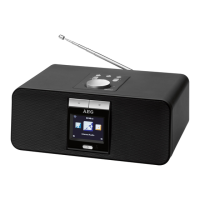
Why my AEG IR 4427 cannot connect to network?
- OOlivia KochAug 15, 2025
If your AEG Radio cannot connect to the network, it could be due to a couple of reasons. First, the network itself might be down, so check that the network is working between a computer and the router. Second, the router might be restricting access based on listed MAC addresses. To resolve this, obtain the Jupiter 6 MAC address from MENU > SYSTEM SETTINGS > VIEW SETTINGS and add it to the router list. Note that the radio has separate MAC addresses for wired and wireless networks; only the current network adapter method address is displayed, but the other address can be obtained by changing the first pair of digits between ‘00’ (wireless) and ‘02’ (wired).
 General