
 To Next Page
M
Michael BradfordAug 2, 2025
What to do if my AEG Radio has no sound?
- SSean ElliottAug 2, 2025
If your AEG Radio isn't producing any sound, the volume might be set too low. Try increasing the volume to resolve this.

What to do if my AEG Radio has no sound?
If your AEG Radio isn't producing any sound, the volume might be set too low. Try increasing the volume to resolve this.
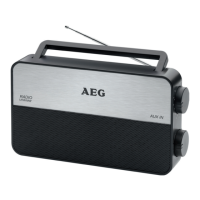
Why is the sound quality of my AEG DAB 4130 Radio so poor?
Poor sound quality in your AEG Radio can be due to a couple of reasons. First, the radio signal might be too weak, so try adjusting the antenna position. Alternatively, if you're using batteries, they might be too weak; try inserting new batteries or use the mains cable to operate the device.
How to improve DAB Radio reception on my AEG DAB 4130 Radio?
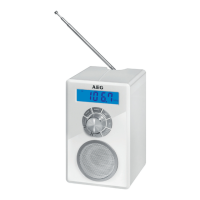
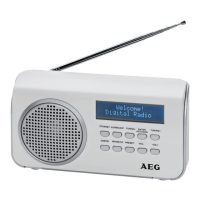
To improve DAB radio reception on your AEG Radio, make sure the telescopic antenna is fully extended and aligned vertically.
What to do if I am experiencing problems with DAB radio reception on my AEG DAB 4130 Radio?
If you're experiencing problems with DAB radio reception on your AEG Radio, it could be due to your location. Some stations might not be receivable or might have interference in your region. Try switching to FM mode to receive these stations, if they are transmitted via UKW. You can also find out more on the internet site of the radio station.
What to do if my AEG DAB 4130 Radio cannot be operated?
If your AEG Radio cannot be operated, it might be blocked or “hanging”. To fix this, pull the mains plug for about 5 seconds, and then connect the unit again.
Explains safety symbols used in the manual.
Provides essential precautions for safe device operation.
Safety advice regarding children and individuals with reduced capabilities.
Specific precautions for safe usage and placement of the device.
Details front and rear components of the radio.
Covers device setup, including power adaptor and battery options.
Instructions on switching the device on/off and basic controls.
Explains headphone connection and AUX input functionality.
Guides on scanning and tuning FM and DAB radio stations.
How to set the automatic sleep timer function.
Displays DAB info, saves favorite stations to presets.
How to set and manage alarm times and snooze feature.
Guidelines for cleaning the device and basic maintenance.
Common problems and their solutions for device operation.
Proper methods for disposing of the device and its components.
Detailed technical data of the DAB radio.
 General