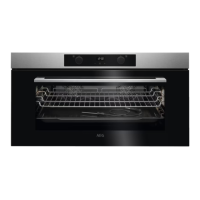
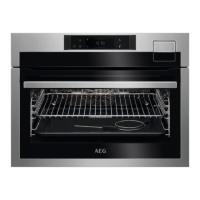
This document is a user manual for an AEG oven, model KEE542260M, providing comprehensive instructions for its installation, operation, maintenance, and troubleshooting. The manual emphasizes safety information, general usage guidelines, and environmental concerns.
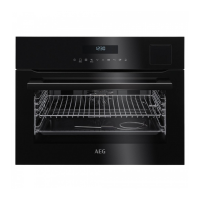
The oven is designed for single household domestic use in an indoor environment, suitable for cooking purposes. It features a control panel with retractable knobs, a display, and various indicators for different functions. The appliance is equipped with an electric cooling system that operates automatically to keep surfaces cool during and after use.
Function Description
The AEG oven offers a variety of heating functions to cater to different cooking needs:
- True Fan Cooking: Ideal for baking on up to two shelf positions simultaneously and for drying food. It's recommended to set the temperature 20-40°C lower than for Conventional Cooking.
- Conventional Cooking: Suitable for baking and roasting food on a single shelf position.
- Frozen Foods: Designed to make convenience food like french fries, potato wedges, or spring rolls crispy.
- Pizza Function: Used for baking pizza, achieving intensive browning and a crispy bottom.
- Bottom Heat: Perfect for baking cakes with a crispy bottom and for preserving food.
- Defrost: For defrosting food such as vegetables and fruit, with defrosting time depending on the amount and size of the frozen food.
- Moist Fan Baking: An energy-saving function where the temperature in the cavity may differ from the set temperature, utilizing residual heat and potentially reduced heating power. The lamp automatically turns off after 30 seconds when this function is used.
- Grill: For grilling thin pieces of food and toasting bread.
- Turbo Grilling: Recommended for roasting large meat joints or poultry with bones on one shelf position, and for making gratins and browning.
- Assisted Cooking: This menu offers pre-set heating functions and temperatures for various dishes, allowing for quick preparation with default settings. Users can adjust time and temperature during cooking.
Usage Features
The oven incorporates several features to enhance usability and safety:
- Control Panel: Features retractable knobs for selecting heating functions and setting temperatures. The display provides visual feedback on selected functions, temperature, and time.
- Food Sensor: An essential accessory for precise cooking, measuring the internal temperature of food. The oven automatically turns off when the set food sensor temperature is reached. It's crucial to insert the sensor correctly into the thickest part of the dish, ensuring at least 3/4 of the sensor is inside and it doesn't touch the bottom of the baking dish.
- Clock Functions: Includes a Minute Minder (for a signal at the end of a set time), Cooking Time (stops heating function at the end of a set time), Time Delay (postpones start/end of cooking), and Uptimer (measures cooking duration without affecting oven operation).
- Automatic Switch-off: For safety, the appliance automatically switches off after a certain period if no settings are changed while a heating function is active. This feature does not apply to Light, Food Sensor, or Time Delay functions.
- Cooling Fan: Operates automatically during use to keep appliance surfaces cool and continues to run after the oven is turned off until it cools down.
- Accessories: Comes with a wire shelf for cookware, cake tins, and roasts, and a baking tray for cakes and biscuits. Accessories are designed with anti-tip indentations for safety.
Maintenance Features
Regular care and cleaning are crucial for maintaining the appliance's performance and longevity:
- Initial Cleaning: Before first use, the empty appliance should be cleaned, and the time set.
- Everyday Cleaning: The cavity should be cleaned after each use to prevent fat accumulation and residue, which can pose a fire risk. The cavity should be dried with a microfibre cloth. Accessories should also be cleaned after each use with a moist soft cloth and mild detergent; non-stick accessories should not be cleaned with abrasive cleaners.
- Shelf Supports Removal: Shelf supports can be easily removed for cleaning by pulling the front and then the rear end away from the side walls. Installation is in the reverse sequence.
- Lamp Replacement: The internal lamp can be replaced by turning off the oven, waiting for it to cool, disconnecting from the mains, removing the glass cover, and replacing with a suitable 300°C heat-resistant lamp.
- Child Safety Device (Lock): This function prevents accidental changes to the appliance's settings or functions. It can be activated whether the appliance is on or off.
- Energy Saving Tips: The manual provides recommendations for energy-efficient cooking, such as keeping the door closed, using metal cookware, avoiding preheating when possible, and utilizing residual heat.
The manual also includes troubleshooting guidance for common issues like the appliance not turning on or heating up, and provides information on error codes and service data for contacting authorized service centers. Environmental concerns are addressed by encouraging recycling of packaging and the appliance itself at appropriate facilities.

 Need help?
 General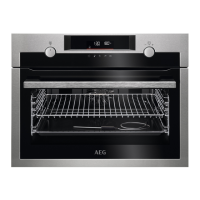

 To Next Page