EasyManua.ls Logo

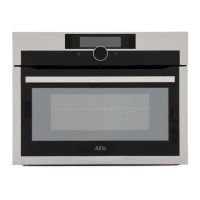
AEG KME768080M - User Manual

AEG KME768080M
48 pages
Print Icon
To Next Page IconTo Next Page
Loading...
USER
MANUAL
EN User Manual
Microwave combi-oven
KME768080M
KMF768080M
KMK768080B
KMK768080M
KMK768080T

Questions and Answers

  • K
    kserranoSep 18, 2025
    What to do if my AEG Microwave Oven displays error F908 - the oven system cannot connect with the control panel?
    • D
      dixontimothySep 18, 2025
      If your AEG Microwave Oven displays error F908 indicating that the oven system cannot connect with the control panel, turn the oven off and on.
  • J
    John ChambersSep 12, 2025
    What should I do if the wireless signal to my AEG KME768080M Microwave Oven is disrupted by a nearby microwave appliance?
    • C
      Colleen RichSep 12, 2025
      If the wireless signal to your AEG Microwave Oven is disrupted by a microwave appliance placed nearby, turn off the interfering microwave appliance.
  • E
    Eric MooreSep 8, 2025
    What to do if my AEG KME768080M Microwave Oven has trouble with the wireless network signal?
    • T
      Tina ContrerasSep 8, 2025
      If you are experiencing trouble with the wireless network signal on your AEG Microwave Oven, check your wireless network and router. You can also try restarting the router.
  • C
    Christina DavisAug 27, 2025
    How to fix wireless network signal issues with my AEG KME768080M Microwave Oven?
    • T
      tiffany05Aug 27, 2025
      If you're experiencing issues with the wireless network signal on your AEG Microwave Oven, check your wireless network and router. Try restarting the router to see if that resolves the problem.
  • V
    Vanessa SimpsonAug 27, 2025
    What to do if touch fields on my AEG KME768080M Microwave Oven display don't work?
    • D
      Diana RivasAug 28, 2025
      If the touch fields on your AEG Microwave Oven display aren't working properly, clean the surface of the display. Ensure there is no dirt on the touch fields.
  • K
    karen78Aug 29, 2025
    How to improve a weak wireless signal on my AEG KME768080M?
    • L
      Luis NicholsAug 29, 2025
      To improve a weak wireless signal on your AEG Microwave Oven, move the router as close to the oven as possible.
  • G
    Garrett LeblancAug 30, 2025
    What does error code F601 mean on my AEG KME768080M?
    • B
      Brittany NguyenAug 30, 2025
      Error code F601 on your AEG Microwave Oven indicates a problem with the Wi-Fi signal. Check your network connection.
  • C
    Christopher ReevesAug 31, 2025
    Why is the wireless signal to my AEG Microwave Oven disrupted?
    • C
      Cheryl PhillipsSep 1, 2025
      The wireless signal to your AEG Microwave Oven might be disrupted by a microwave appliance placed nearby. Turn off the nearby microwave appliance to resolve this.
  • J
    Jacqueline GallagherSep 23, 2025
    What to do if my AEG KME768080M Microwave Oven displays error F131 - the temperature of magnetron sensor is too high?
    • N
      Nicholas GomezSep 23, 2025
      If your AEG Microwave Oven displays error F131 indicating that the temperature of the magnetron sensor is too high, turn the oven off and wait until it cools down. Then, turn the oven on again.
  • R
    Randy IbarraSep 9, 2025
    What to do if my AEG KME768080M Microwave Oven displays error F601 - there is a problem with Wi-Fi signal?
    • W
      waynejohnstonSep 9, 2025
      If your AEG Microwave Oven displays error F601 indicating a problem with the Wi-Fi signal, check your network connection.

AEG KME768080M Specifications

General IconGeneral
Capacity43 L
Oven power1000 W
Microwave power1000 W
Grill Power1000 W
Convection Power1000 W
Number of Power Levels5
Control TypeElectronic
Built-in displayYes
Display TypeLCD
Cavity MaterialStainless Steel
Interior lightYes
TurntableYes
Turntable Diameter36 cm
Product colourStainless Steel
Width595 mm
Height455 mm
ColorStainless Steel
TypeBuilt-in Microwave Oven

Related product manuals